Table of Contents
- Quick Comparison: Best Ergonomic Chairs Under 500 Dollars
- Branch Ergonomic Chair Pro: Best Overall Adjustability
- HON Ignition 2.0: Best Lumbar Support for Back Health
- Eurotech Vera: Best Seat Comfort for Long Sessions
- Colamy Ergonomic Chair: Best Budget Pick Under 300 Dollars
- Steelcase Leap (Refurbished): Best Premium Ergonomics on a Budget
- How to Choose an Office Chair for Back Pain
- Ergonomic Chair Adjustment Guide for Any Body Type
- Office Chair Warranty Importance
- Frequently Asked Questions
Last Updated: September 26, 2026
Quick Comparison: Best Ergonomic Chairs Under 500 Dollars
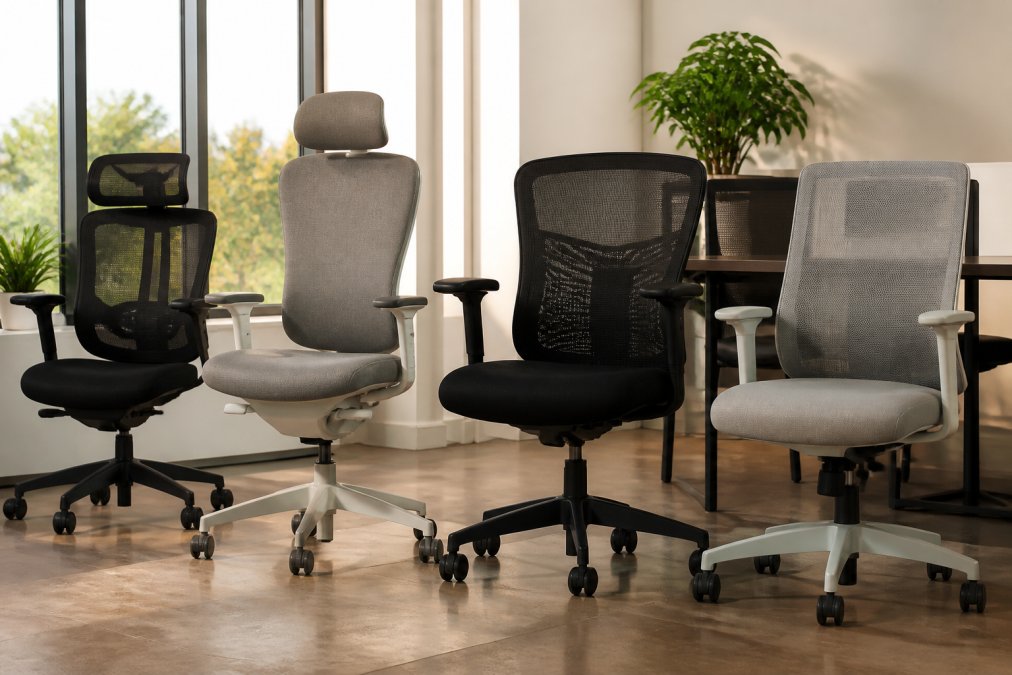
Finding the best ergonomic chair under 500 dollars means balancing adjustability, build quality, and long-term comfort without crossing into premium territory. At Office Furniture Warehouse, we’ve spent over 35 years helping businesses furnish workspaces with high-quality seating. The picks below cover every priority, from budget-conscious startups to remote workers who need serious lumbar support. Below, we’ll show you exactly how each chair performs, where it falls short, and which body types it suits best.
| Chair | Starting Price | Best For | Key Feature |
|---|---|---|---|
| Branch Ergonomic Chair Pro | $499 | Overall adjustability | Multi-directional armrests |
| HON Ignition 2.0 | $350-$400 | Lumbar support | Adjustable lumbar depth |
| Eurotech Vera | $450 | Long sessions | Hammock-style backrest |
| Colamy Ergonomic Chair | $279 | Budget buyers | Adjustable headrest |
| Steelcase Leap (Refurbished) | $125-$450 | Premium ergonomics | LiveBack technology |
Branch Ergonomic Chair Pro: Best Overall Adjustability
The Branch Ergonomic Chair Pro is the most adjustable option on this list, and it earns the top spot for that reason alone. Its multi-directional armrests, adjustable lumbar support, and tilt tension controls let you dial in a setup that works for almost any body type. The breathable double-layered mesh back keeps airflow moving during long work sessions, and the build quality feels noticeably sturdier than most competitors at this price.
HON Ignition 2.0: Best Lumbar Support for Back Health
If back pain is your main concern, the HON Ignition 2.0 delivers the most targeted lumbar support in this price range. Its adjustable lumbar depth lets you increase or decrease pressure against your lower spine, which matters for anyone managing existing discomfort. The synchro-tilt recline mechanism keeps your feet grounded as you lean back, and the contoured seat cushion distributes weight evenly to reduce pressure points.
Eurotech Vera: Best Seat Comfort for Long Sessions
The Eurotech Vera wins on seat comfort thanks to its hammock-style mesh backrest, which cradles the spine rather than pushing against it. High-density seat padding and adjustable seat depth make it easy to sit for hours without the numbness that cheaper cushions cause. Dynamic recline tension adjusts as you shift position, providing support without constant manual tweaking. What most guides miss is how different that hammock feel is from a traditional foam back.
Colamy Ergonomic Chair: Best Budget Pick Under 300 Dollars
Budget buyers who refuse to sacrifice essential adjustments should look at the Colamy Ergonomic Chair. At $279, it includes an adjustable headrest, dynamic lumbar support, and flip-up armrests, features that usually push chairs well past $400. The breathable mesh back and compact footprint make it a solid fit for smaller home offices. Build materials are less premium than the $500 competitors, and that shows in the armrest plastics and caster smoothness.
Steelcase Leap (Refurbished): Best Premium Ergonomics on a Budget
A refurbished Steelcase Leap delivers top-tier ergonomics for a fraction of retail. Its LiveBack technology flexes with your spine as you move, and the flexible seat edge reduces pressure behind the knees. Fully adjustable arms and advanced recline tension round out a chair that professionals have trusted for years. Two caveats: warranty coverage varies by reseller, and condition depends on previous use.
How to Choose an Office Chair for Back Pain
Most guides tell you to “look for adjustable lumbar support” and stop there. That advice is useless if the chair’s adjustment range doesn’t fit your body. The real question is whether a specific chair’s measurements match your measurements, and that’s where most under-$500 picks quietly fail.
- Popliteal height, floor to the crease behind your knee, shoes on. This sets your ideal seat height range. Under 5’4″, you generally need a seat that drops to about 16 inches or lower; over 6’0″, you need one that rises to at least 20 inches.
- Buttock-to-popliteal length, the back of your rear to the crease behind your knee. This is your target seat depth. Most chairs ship with a 19- to 20-inch seat, which is too deep for anyone under roughly 5’6″ and forces them to perch forward, killing lumbar contact.
- Elbow height when seated, floor to the underside of your relaxed elbow. Armrests should land within about an inch of this number, or your shoulders will hike up all day.
Match the chair to your height band
- Under 5’4″: Prioritize a low minimum seat height (16 inches or less), a shallow seat depth (16-17 inches), and a lumbar pad that adjusts down far enough to reach your actual lumbar curve. The Colamy’s compact frame and the Eurotech Vera’s adjustable seat depth are the two most likely fits in this list.
- 5’4″ to 5’10”: Most chairs in this price range are designed around this band, so adjustability matters less than cushion quality and recline feel. The HON Ignition 2.0 and Branch Ergonomic Chair Pro both land here comfortably.
- 5’11” and up: Look for a seat height that reaches 20-21 inches, a seat depth of at least 19 inches, and a backrest tall enough that the top edge sits at or above your shoulder blades. The refurbished Steelcase Leap is the strongest fit in this list because its seat slides forward independently of the backrest.
What actually reduces back pain (and what doesn’t)
A chair can’t fix posture on its own. What it can do is remove the three most common sources of strain:
- Unsupported lumbar curve. The pad needs to sit in the small of your back, not your tailbone. If it only moves in and out, not up and down, it won’t fit most bodies.
- A fixed 90-degree hip angle. Sitting locked at 90 degrees loads the discs more than reclining slightly. A tilt lock with at least a few degrees of recline, plus adjustable tension, lets you shift positions through the day. This is a significant reason why chairs with tilt lock and adjustable tension can be beneficial for people with existing discomfort.
- Pressure behind the knees. A waterfall seat edge, the front of the cushion curving down, keeps blood moving through the thighs. Flat seat edges are the most common cause of the numbness people blame on “bad cushions.”
Before buying, sit in the chair for at least 15 minutes with your feet flat and your back against the lumbar pad. If you find yourself sliding forward or tucking a foot under you within five minutes, the seat depth is wrong for your leg length, no amount of lumbar adjustment will fix it.
The most common buying mistake is sizing up. A chair that fits a 6’2″ reviewer will feel like a throne to a 5’3″ buyer, and a throne you can’t reach the floor from is worse for your back than a cheap chair that fits. Buy for your measurements, not the reviewer’s.
Ergonomic Chair Adjustment Guide for Any Body Type
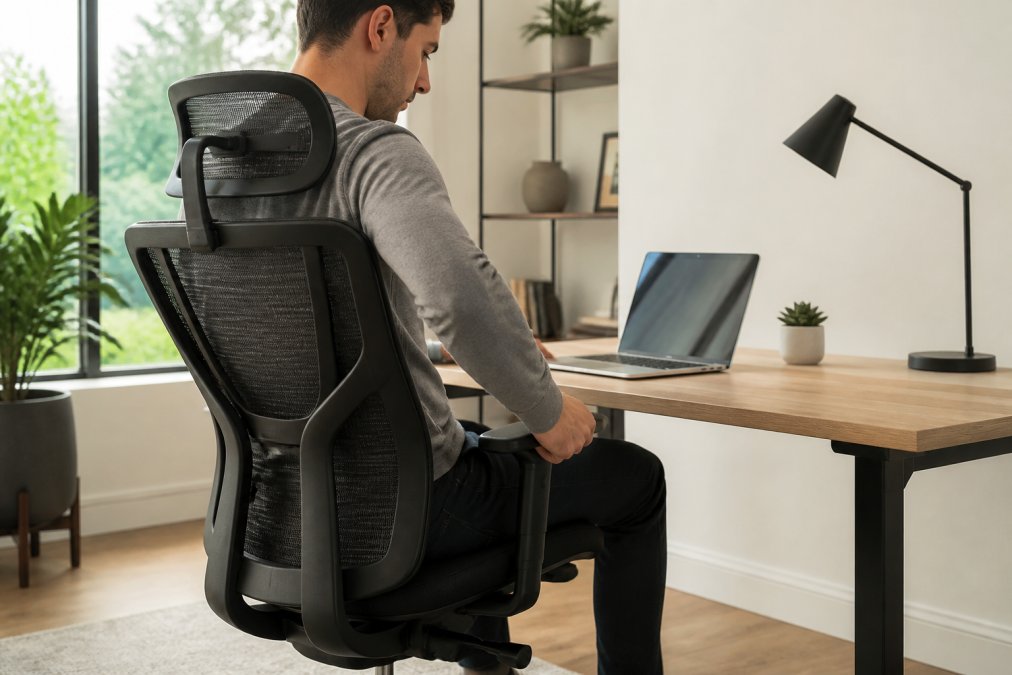
Proper adjustment matters more than the chair’s price tag. Start with seat height: your feet should rest flat on the floor with thighs parallel to the ground. Set seat depth so your back stays in contact with the lumbar support without pressure behind the knees. Adjust armrests so your shoulders relax and elbows sit at roughly 90 degrees. Set recline tension so the chair supports you when you lean back but doesn’t fight you.
Skipping the lumbar height adjustment is the most common mistake. If the pad sits too low, it pushes your pelvis forward and flattens the natural curve of your spine. Raise it until you feel gentle support in the small of your back, not your tailbone.
Office Chair Warranty Importance
Warranty terms are the closest thing to a durability guarantee you’ll get before you buy, but only if you read them the way a claims adjuster would. Most under-$500 chairs advertise “5-year” or “lifetime” coverage, then exclude the parts that actually break.
What the warranty actually covers
On a typical ergonomic chair, the failure points in order of frequency are:
- Gas cylinder, the pneumatic lift. Usually the first thing to go, often within 2-4 years of daily use. Many budget warranties cover it for only 1-2 years, or exclude it entirely.
- Tilt mechanism and tension spring, the recline hardware. Fails quietly: the chair starts sinking or the recline stops holding. Look for explicit coverage of the “mechanism” or “tilt assembly.”
- Armrest pads and adjustment locks, cosmetic at first, then functional. Rarely covered after year one.
- Casters and base, cheap nylon casters flat-spot and drag within 18 months on hard floors. Usually a $15-$30 replacement, so not worth a warranty claim.
- Mesh back and seat foam, sagging and pilling. Almost never covered because manufacturers classify it as “normal wear.”
How these chairs hold up over 12-24 months
Out-of-the-box reviews tell you almost nothing about durability. What matters is what happens after a year of eight-hour days. A few patterns show up consistently across this price band:
- Mesh backs hold their shape well but collect dust and skin oils in the weave. They stay cooler than foam but show grime faster. A vacuum with a brush attachment every few weeks and a damp microfiber wipe monthly keeps them looking new.
- Foam seat cushions are the first thing to compress. High-density foam (look for 2.5 lb/ft³ or higher if the spec is published) holds up noticeably better than the budget foam used in sub-$300 chairs. The Colamy’s cushion is the most likely to soften within two years; the Eurotech Vera’s high-density padding is the most likely to hold.
- Armrest plastics on budget chairs develop wobble at the mounting point within 12-18 months. This is cosmetic until it isn’t, once the bolt hole strips, the armrest is done.
- Gas cylinders on chairs used daily tend to lose their top inch of travel first. If your chair starts sinking slowly during the day, the cylinder is on its way out.
Maintenance that extends the life of the chair
A few minutes a month adds years to any chair in this price range:
- Tighten every bolt you can reach with the included Allen key at the 30-day mark, then every six months. Loose bolts are the leading cause of wobble and squeaks.
- Clean mesh with a vacuum brush attachment, then a damp cloth with mild dish soap. Skip harsh cleaners, they degrade the elastomeric weave.
- Clean fabric with a upholstery-safe foam cleaner and a soft brush. Blot, don’t scrub, to avoid pilling.
- Lubricate the tilt mechanism once a year with a dry silicone spray (not oil, which attracts dust).
- Replace casters with polyurethane rollerblade-style wheels if you’re on hardwood. They roll quieter and won’t scratch the floor.
A strong warranty is a signal, not a guarantee. A strong warranty is a signal, not a guarantee.
Federal Trade Commission guidance on written warranty terms
Frequently Asked Questions
What features should I look for in an ergonomic chair under 500 dollars?
Prioritize adjustable lumbar support, seat depth adjustment, and adjustable armrests. Look for a breathable mesh back for airflow and a seat cushion with enough density to prevent pressure buildup during long sitting sessions. Tilt tension and tilt lock matter too. At this price point, you can find chairs with pneumatic lift and swivel casters that handle daily use without breaking down.
How do budget ergonomic chairs compare to high-end models?
Chairs under 500 dollars typically match premium models on core adjustments like lumbar depth, seat height, and recline tension. The main differences show up in upholstery durability, frame material, and long-term build quality. A refurbished Steelcase Leap, for example, delivers the same ergonomic design as a new one at a fraction of the cost. You sacrifice some material refinement, not posture support.
Are mesh chairs better than padded chairs for home offices?
Breathable mesh backs keep airflow moving and reduce heat buildup during long work sessions. Padded chairs offer more cushion density and a softer feel, but they can trap heat. For home offices where you sit for six or more hours, mesh backs paired with a padded seat give you the best of both. The Eurotech Vera uses a hammock-style mesh back that cradles the spine while keeping you cool.
Is it worth spending more than 500 dollars on an office chair?
For most remote workers and small business setups, a chair under 500 dollars covers every adjustment you need: lumbar support, seat depth, armrest positioning, and recline tension. Spending more gets you premium upholstery and longer warranty coverage, but the ergonomic fundamentals stay the same. If you sit eight hours daily, a refurbished high-end model at a discount often beats a new mid-range chair.
How long should an ergonomic chair under 500 dollars last?
A well-built chair in this range should last five to seven years with regular use. Gas cylinders, casters, and armrest pads are the first components to wear. Check warranty coverage before buying: a three-year warranty on a 300-dollar chair signals the manufacturer expects the frame and mechanism to hold up. Refurbished Steelcase and Herman Miller chairs often outlast new budget models because of their frame material and build quality.
Furnishing an office with ergonomic seating shouldn’t mean choosing between quality and budget. Office Furniture Warehouse stocks new and pre-owned chairs from brands like Steelcase and Herman Miller, with expert design guidance to match seating to your space. Visit our showroom to compare models in person, or ask our team about delivery and installation for your next office buildout.
