Table of Contents
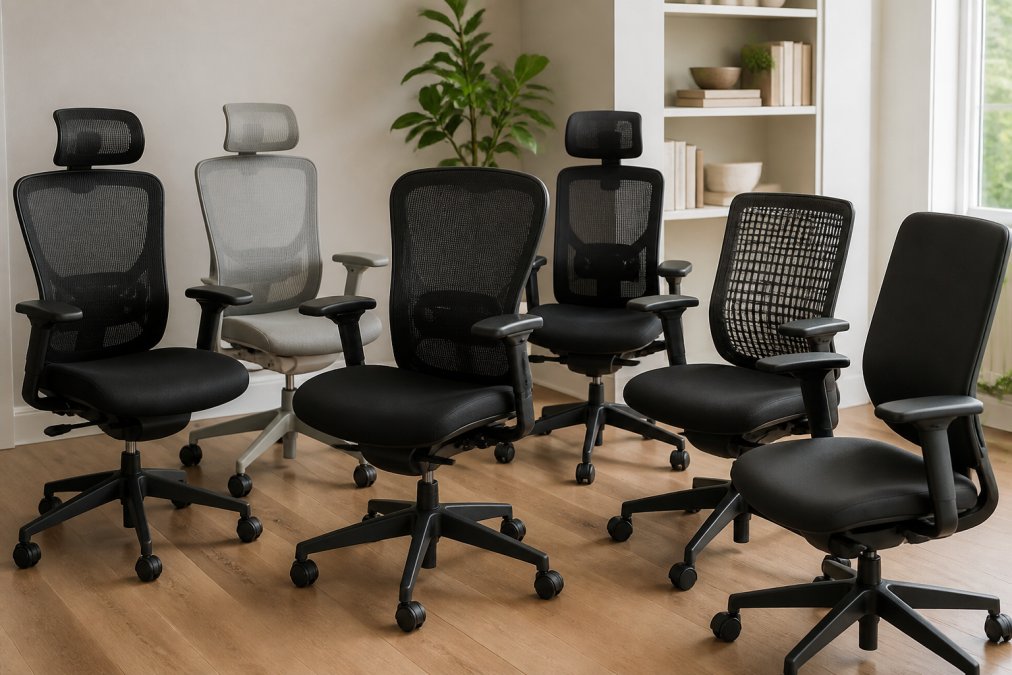
- Quick Comparison: 7 Ergonomic Chairs for Small Spaces
- How We Evaluated These Compact Ergonomic Chairs
- 1. Branch Ergonomic Chair Pro: Best Overall for Small Home Offices
- 2. Steelcase Gesture: Best for Multi-Device Users
- 3. Herman Miller Aeron: Best Long-Term Comfort
- 4. HON Ignition 2.0: Best Budget-Friendly Ergonomic Chair
- 5. Colamy Atlas: Best Space-Saving Design
- 6. Eurotech Vera: Best Office Chair for Back Pain Relief
- 7. DUMOS Criss Cross: Best for Cross-Legged Sitting
- What to Look For Before You Buy
- Frequently Asked Questions
Last Updated: September 25, 2026
Quick Comparison: 7 Ergonomic Chairs for Small Spaces
Ergonomic chairs support your spine’s natural curve, reduce pressure points, and adjust to your body. In a small home office, the challenge is finding that support in a footprint that won’t swallow the room.
| Chair | Starting Price | Best For | Standout Feature |
|---|---|---|---|
| Branch Ergonomic Chair Pro | $499 | Overall value | Adjustable lumbar and seat depth |
| Steelcase Gesture | $1,300+ | Multi-device users | 360-degree rotating armrests |
| Herman Miller Aeron | $2,305 | Long-term comfort | Breathable Pellicle suspension |
| HON Ignition 2.0 | $350+ | Budget buyers | Synchro-tilt at a low price |
| Colamy Atlas | $260 | Tight spaces | Flip-up armrests |
| Eurotech Vera | $450+ | Back pain relief | Dynamic lumbar support |
| DUMOS Criss Cross | $150+ | Cross-legged sitting | Armless wide seat |
How We Evaluated These Compact Ergonomic Chairs
We judged every chair on adjustability, footprint, build quality, breathability, and value. Each fits a small room without sacrificing the adjustments that keep you comfortable through a full workday.
1. Branch Ergonomic Chair Pro: Best Overall for Small Home Offices
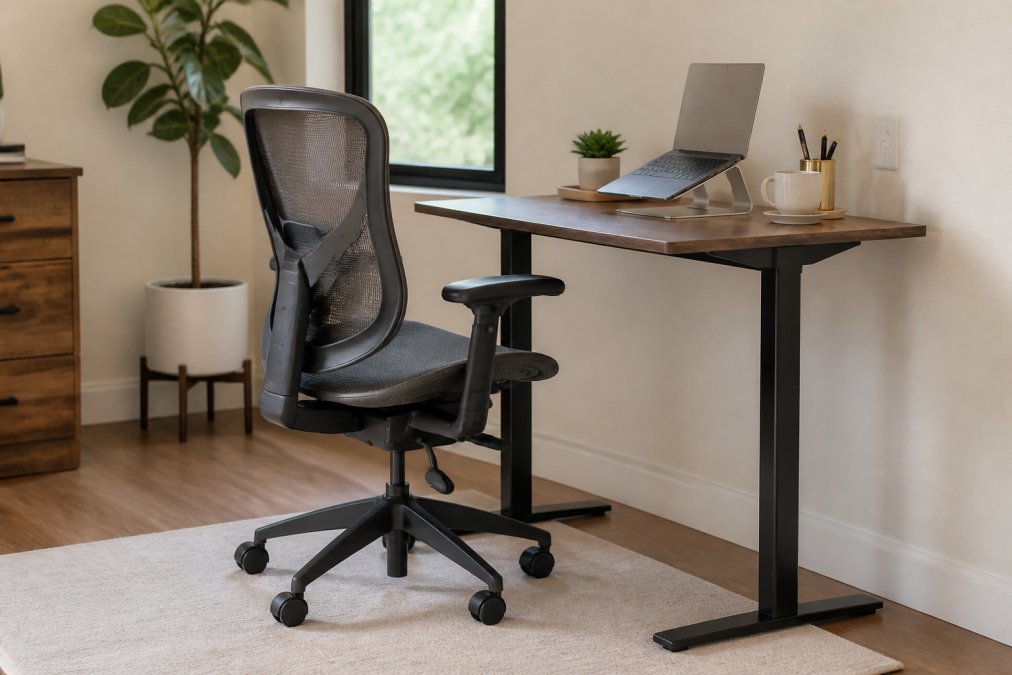
The Branch Ergonomic Chair Pro is our top pick because it balances serious adjustability with a footprint that respects a small room, delivering the features most people actually use.
Key Specs
- Starting price: $499
- Adjustable lumbar support and seat depth
- Multiple tilt lock positions
- Breathable double-layered mesh back
- Adjustable armrests
Pros and Cons
Pros: Highly adjustable for different body types; compact footprint suits smaller rooms.
Cons: Requires assembly.
2. Steelcase Gesture: Best for Multi-Device Users
The Steelcase Gesture is the chair to buy if you constantly shift between a laptop, tablet, and phone. Its 360-degree rotating armrests move with you instead of locking your shoulders in place.
Key Specs
- Starting price: $1,300+
- 360-degree rotating armrests
- LiveBack spine-mimicking technology
- Adjustable seat depth and width
- Synchronized tilt mechanism
Pros and Cons
Pros: Exceptional build quality; highly versatile armrest adjustments.
Cons: High price point.
3. Herman Miller Aeron: Best Long-Term Comfort
The Herman Miller Aeron remains the benchmark for all-day comfort. Its Pellicle suspension lets air move freely to keep you cool, and PostureFit SL back support keeps your pelvis and spine aligned.
Key Specs
- Starting price: $2,305
- PostureFit SL back support
- Breathable Pellicle mesh for temperature regulation
- Three size options
- Harmonic tilt mechanism
Pros and Cons
Pros: Industry-leading ergonomic design; excellent heat dissipation.
Cons: Very high investment cost.
4. HON Ignition 2.0: Best Budget-Friendly Ergonomic Chair
The HON Ignition 2.0 proves you don’t need four figures for real support. It packs adjustable lumbar support, a synchro-tilt mechanism, height- and width-adjustable arms, and a breathable mesh back into a chair starting around $350.
Key Specs
- Starting price: $350+
- Adjustable lumbar support
- Synchro-tilt mechanism
- Height and width adjustable arms
- Breathable mesh back
Pros and Cons
Pros: Affordable price point; good range of adjustability for the cost.
Cons: Less premium materials than high-end models.
5. Colamy Atlas: Best Space-Saving Design
The Colamy Atlas wins on footprint. Its flip-up armrests let you tuck the chair fully under a desk when not in use, which matters when every inch counts. You still get an adjustable headrest, lumbar support adjustment, and a breathable mesh back, all starting around $260.
The space-saving metric: usable footprint vs. stored footprint
Most guides list dimensions and stop there. What matters in a small room is the difference between usable and stored footprint.
- Usable footprint: the floor area the chair occupies while you are sitting in it, including base span and recline clearance. For a compact five-star base, budget roughly a 24-inch by 24-inch floor square.
- Stored footprint: the floor area the chair occupies when you push it in and flip the armrests up. With the armrests folded, a chair like the Atlas can slide under a desk until only the seat and backrest remain in the room, which can cut the visible footprint roughly in half.
Multi-purpose functionality: work mode to living-room mode
A chair in a shared room has to survive being looked at. The Atlas reads as a conventional task chair, but its mesh back and neutral finish keep it from looking like a call-center cubicle. In a multi-purpose space, pair it with a desk that has a modesty panel or a wall-facing setup so the chair is only visible when in use.
The honest limitations
Long-term durability is the real weakness: it won’t hold up like a premium chair under heavy daily use, and the materials reflect the price. For a small home office where space decides, that trade-off is often worth making.
Key Specs
- Starting price: $260
- Adjustable headrest
- Lumbar support adjustment
- Breathable mesh back
- Flip-up armrests
Pros and Cons
Pros: Very budget-friendly; flip-up armrests cut the stored footprint roughly in half; compact design.
Cons: Limited long-term durability compared to premium chairs; materials reflect the price point.
6. Eurotech Vera: Best Office Chair for Back Pain Relief
If back pain relief is your priority, the Eurotech Vera delivers strong support for under $500. Dynamic lumbar support and adjustable seat depth target the lower back directly, and the multi-function tilt lets you change posture throughout the day.
Key Specs
- Starting price: $450+
- Dynamic lumbar support
- Adjustable seat depth
- Multi-function tilt mechanism
- Breathable mesh back
Pros and Cons
Pros: Strong ergonomic focus; good value for the feature set.
Cons: Design is strictly utilitarian.
7. DUMOS Criss Cross: Best for Cross-Legged Sitting
The DUMOS Criss Cross solves a problem most ergonomic chairs ignore: some people prefer to sit cross-legged. Its armless, wide-seat design gives you room to do it, and the swivel base and height adjustment keep it functional.
Key Specs
- Starting price: $150+
- Armless design for maximum width
- Height adjustable
- Swivel base
- Cushioned fabric seat
Pros and Cons
Pros: Allows for cross-legged sitting; very compact footprint.
Cons: Lacks traditional ergonomic support features.
What to Look For Before You Buy
Match the chair to your body and your room before you match it to a price tag. In a small home office, the specs that decide whether a chair works are dimensional, and they interact.
Measure the real footprint, not the marketing footprint
A chair’s footprint is the floor area its base occupies plus the clearance it needs to function. A standard five-star swivel base on a compact task chair spans about 24 to 26 inches, so budget roughly a 24-inch by 24-inch floor square. Add recline clearance and you’re reserving a 30-inch by 30-inch zone.
Cross-reference weight capacity against seat width
This spec pairing trips up buyers in tight rooms. A higher weight rating usually means a wider seat pan and beefier base, so a chair rated to 300 pounds may have a 21- to 22-inch seat pan while a 250-pound chair sits at 18 to 19 inches. If you need the higher capacity, you’re accepting the larger footprint, so check both numbers together.
Adjustability range that actually covers your body
Look for seat depth, lumbar height, and armrest adjustments that cover your frame, not just the average user. At least 2 inches of seat depth adjustment keeps the front edge from pressing behind your knees, lumbar height adjustment moves support to your lower back’s curve, and height- and width-adjustable armrests keep shoulders relaxed.
The quiet specs that decide daily usability
- Caster wheels: Soft casters protect hardwood and laminate floors; hard casters roll better on carpet. Swapping casters is one of the cheapest ways to adapt a chair to your room.
- Assembly time: Most chairs here ship flat and take 20 to 45 minutes to assemble with the included tools. Chairs with pre-attached backs and bases cut that time roughly in half.
- Return window: Check the return policy before assembly. A chair that does not fit your desk clearance is easier to send back unassembled.
Before you compare prices, write down three numbers for your room: base clearance in inches, desk kneehole width, and the distance from your desk edge to the nearest wall. A chair only works if it clears all three.
If you’re buying pre-owned, test the pneumatic height adjustment and tilt tension before you commit. These are the two parts that fail first, and they’re the easiest to check in a showroom.
Frequently Asked Questions
What are the best ergonomic chairs for small spaces?
The best ergonomic chairs for small spaces balance adjustability with a compact footprint. The Branch Ergonomic Chair Pro offers adjustable lumbar support, seat depth, and armrests in a slim frame. The Colamy Atlas has flip-up armrests that save space when not in use. The DUMOS Criss Cross Chair is armless and allows cross-legged sitting, making it ideal for tight corners. Look for chairs with a small seat pan and swivel base to maximize room.
What is the best small office chair for home use?
For home use, consider the HON Ignition 2.0. It provides adjustable lumbar support, a synchro-tilt mechanism, and breathable mesh at a budget-friendly price. Its compact size fits under most desks. If you need more premium features, the Steelcase Gesture offers 360-degree armrests and LiveBack technology, though it costs more. Measure your space and check the chair’s dimensions before buying.
What is the most comfortable chair for a home office?
The Herman Miller Aeron is often cited as the most comfortable for long hours due to its Pellicle suspension material and PostureFit SL back support. It comes in three sizes for a custom fit. However, comfort is personal. The Eurotech Vera provides strong back support at a lower price. Try to test chairs in person or choose a retailer with a return policy to ensure it suits your body.
How do I choose an ergonomic chair for a compact desk setup?
Start by measuring your desk height and available floor space. Look for chairs with adjustable seat height and depth, like the Branch Ergonomic Chair Pro, so you can align your elbows at desk level. A chair with a small footprint, such as the DUMOS Criss Cross Chair, works well in tight areas. Prioritize lumbar support and breathable materials to maintain comfort during long work sessions.
What is the best ergonomic chair for short people?
Short users should look for chairs with adjustable seat height and depth to ensure feet rest flat on the floor. The Herman Miller Aeron comes in size A, designed for smaller frames. The Branch Ergonomic Chair Pro also accommodates shorter users with its adjustable seat depth and height range. Avoid chairs with fixed seat depths that may cause pressure behind the knees.
