Table of Contents
- Quick Comparison: Top Ergonomic Chairs for Remote Workers
- How We Evaluated These Ergonomic Chairs
- 1. Herman Miller Aeron Remastered: The Gold Standard
- 2. Steelcase Gesture: Ultimate Adjustability
- 3. Branch Ergonomic Chair Pro: Best Value
- 4. Steelcase Series 2: Compact Support
- 5. Haworth Fern: Flexible Comfort
- 6. HON Ignition 2.0: Budget-Friendly Reliability
- Pre-Owned vs New Office Furniture
- Ergonomic Chair Adjustment Guide
- Benefits of Ergonomic Chairs for Back Pain
- Frequently Asked Questions
Last Updated: September 18, 2026
Quick Comparison: Top Ergonomic Chairs for Remote Workers
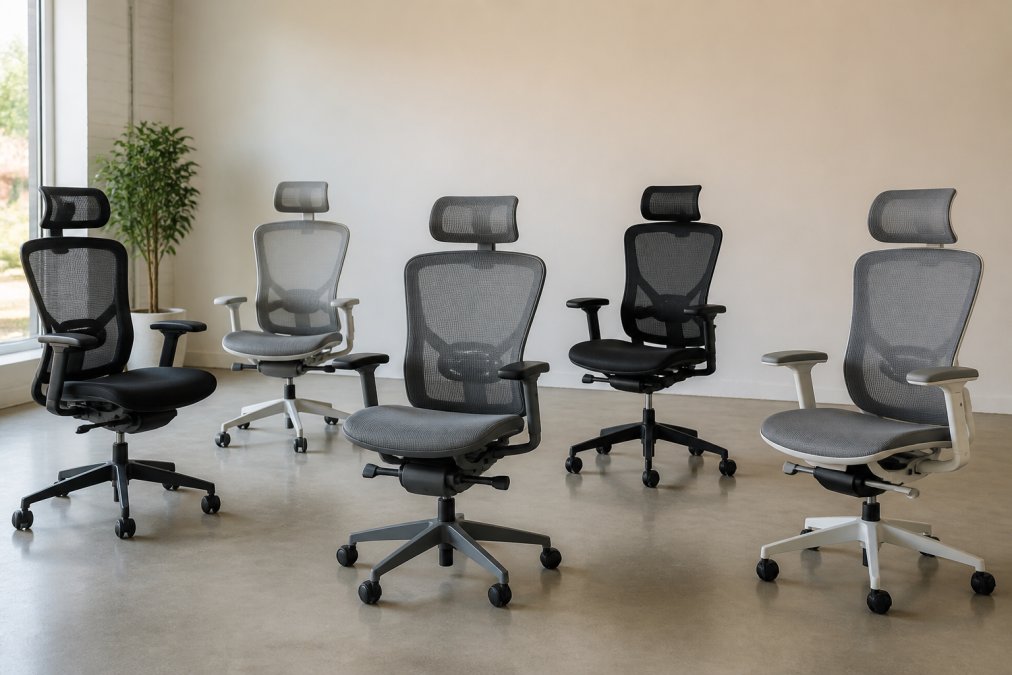
The best ergonomic chairs for remote workers balance lumbar support, adjustability, and price. Remote work turned the kitchen table into a full-time desk for millions, and we’ve watched buyers cycle through cheap task chairs every 18 months instead of investing once.
Quick Picks:
- Best Overall: Herman Miller Aeron Remastered, unmatched durability and mesh breathability
- Best Adjustability: Steelcase Gesture, 360-degree armrests that follow every posture
- Best Value: Branch Ergonomic Chair Pro, premium ergonomics at an accessible price
- Best Budget: HON Ignition 2.0, reliable support without the flagship price tag
| Chair | Starting Price | Best For | Standout Feature |
|---|---|---|---|
| Herman Miller Aeron Remastered | $1,755 | Long-term investment | PostureFit SL lumbar support |
| Steelcase Gesture | Contact for pricing | Multi-device users | 360-degree rotating armrests |
| Branch Ergonomic Chair Pro | $360 | Budget-conscious buyers | Double-layered mesh backrest |
| Steelcase Series 2 | Contact for pricing | Small home offices | Air LiveBack technology |
| Haworth Fern | Under $1,500 | Flexible comfort seekers | Edgeless back design |
| HON Ignition 2.0 | $600 | Everyday reliability | Synchro-tilt mechanism |
How We Evaluated These Ergonomic Chairs
Our scoring rubric (100 points total):
| Category | Weight | What we measured |
|---|---|---|
| Lumbar support and spinal alignment | 25 pts | Whether the lumbar mechanism adjusts vertically and in depth, and whether it holds position under load |
| Adjustability | 20 pts | Range of seat height, seat depth, armrest travel, tilt tension, and tilt lock positions |
| Material quality and breathability | 15 pts | Mesh vs. foam construction, heat buildup after 3 hours, and fabric pilling after 100+ sit-downs |
| Durability and build quality | 20 pts | Cylinder hold, caster roll on hardwood and carpet, frame flex, and creak/rattle onset |
| Value relative to price | 20 pts | Cost per year of expected service life, warranty length, and return window |
How we tested each chair:
- Assembly timing.
- Adjustment sweep.
- Long-sit pressure mapping.
- Caster and cylinder stress.
- Recline and tilt check.
What we did not weight heavily:
- Color and finish options. Aesthetics matter for a home office backdrop, but they do not change how your spine feels at hour seven.
- Brand prestige. A recognizable name is not a scoring category.
A chair that adjusts to your body beats one with the longest feature list. We prioritized genuine lumbar support, adjustable seat depth, and pneumatic height adjustment over chairs that simply look ergonomic.
Sit in a chair for at least 20 minutes before committing. The first five minutes feel fine on almost anything. Pressure points and lumbar gaps show up closer to the half-hour mark.
If you only have time to check one thing before buying, check the lumbar mechanism. A lumbar pad that adjusts up, down, and in toward your spine is the single strongest predictor of whether a chair will still feel good after a year.
1. Herman Miller Aeron Remastered: The Gold Standard
The Aeron Remastered remains the benchmark for ergonomic chairs, thanks to mesh construction that keeps you cool during long sits. The PostureFit SL system supports both the sacrum and lumbar region, helping maintain natural spinal alignment. Three size options fit different body types, the adjustable tilt limiter sets recline resistance, and the Pellicle suspension distributes pressure evenly instead of concentrating it under your thighs.
2. Steelcase Gesture: Ultimate Adjustability
Gesture wins on adjustability. Its 360-degree armrests move in every direction, so your forearms stay supported whether you’re typing, swiping a tablet, or cradling a phone against your shoulder. LiveBack technology mimics the movement of a human spine, flexing as you shift, while adjustable seat depth and width fit taller and shorter frames.
3. Branch Ergonomic Chair Pro: Best Value
Branch built the Ergonomic Chair Pro for buyers who want professional-grade ergonomics without the flagship markup. At $360, it undercuts every other chair here while keeping the features that matter: adjustable lumbar support, adjustable armrests, tilt tension control, and a tilt lock.
Remote workers who want genuine ergonomic support without spending four figures, especially those furnishing a first home office.
4. Steelcase Series 2: Compact Support
Series 2 delivers Steelcase engineering in a smaller footprint, which matters when your home office shares space with a guest room or living room corner. Air LiveBack technology flexes with your spine while the weight-activated tilt responds automatically to your body. The 4D armrests adjust in four directions, and the contoured seat cushion reduces pressure on the backs of your legs.
5. Haworth Fern: Flexible Comfort
Fern takes a different approach to back support. Instead of a rigid frame, it uses an edgeless design that flexes with your movement, and the integrated lumbar system adjusts without a hard plastic bar pressing into your spine.
6. HON Ignition 2.0: Budget-Friendly Reliability
HON’s Ignition 2.0 covers the essentials at $600: adjustable lumbar support, a synchro-tilt mechanism, a breathable mesh back, and adjustable seat height and depth. Assembly takes most people under 30 minutes with the included tools. Build quality is solid for the price, and it holds up to daily use without the creaks and wobbles of cheap task chairs.
Pre-Owned vs New Office Furniture
Inspect the gas cylinder and casters first on any used chair. These wear out before the frame or mesh does, and a failed pneumatic height adjustment means the chair won’t hold your setting.
Office Furniture Warehouse stocks new and pre-owned seating from brands like Steelcase and Herman Miller, with over 35 years of experience helping buyers stretch their budgets. Our 4-acre inventory and expert design guidance mean you can furnish a full workspace, not just one desk.
Ergonomic Chair Adjustment Guide
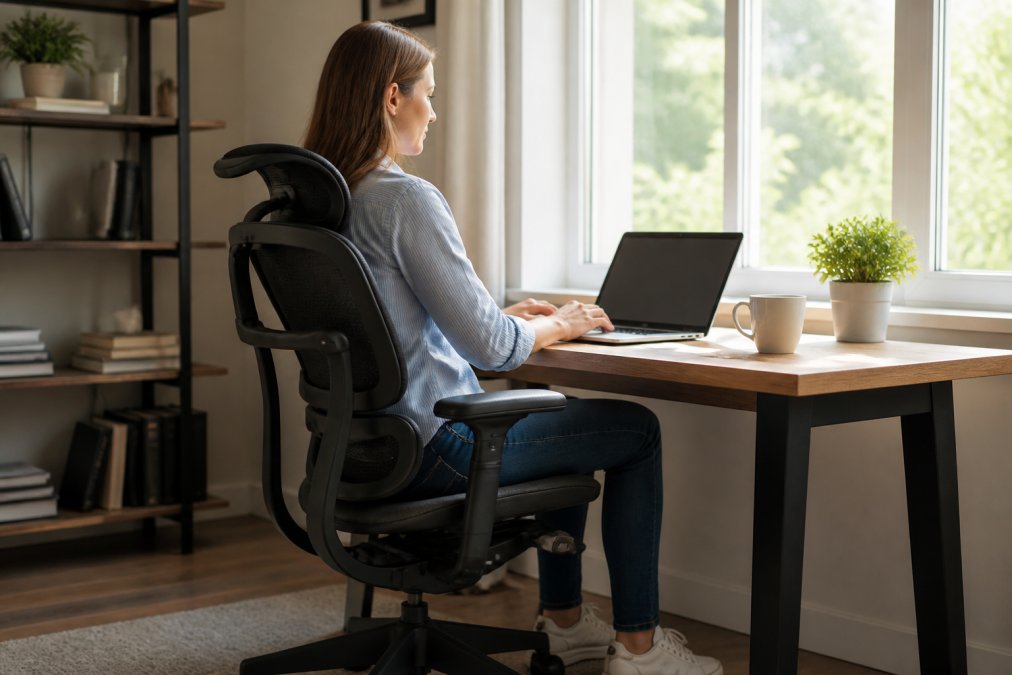
A well-adjusted chair outperforms an expensive one set up wrong. Follow this sequence every time you sit down:
- Set seat height so your feet rest flat and knees sit at roughly 90 degrees
- Adjust seat depth to leave two to three fingers of space behind your knees
- Position lumbar support in the curve of your lower back, not above it
- Set armrest height so shoulders stay relaxed and elbows rest near 90 degrees
- Dial in tilt tension so the backrest supports you without forcing you upright
- Add a headrest if you recline during calls or reading
Benefits of Ergonomic Chairs for Back Pain
A good ergonomic chair does not cure back pain. It removes the mechanical causes of pain that builds up during long sitting sessions.
The three mechanisms that actually reduce strain:
- Lumbar support maintains the lumbar curve. When you slouch, the natural inward curve of your lower back flattens, and the muscles along your spine work to hold you up. A lumbar pad positioned in that curve lets those muscles relax, which is why a support that adjusts in depth, not just up and down, outperforms a fixed pad.
- Seat depth controls where pressure lands. Too deep, and the front edge presses into the backs of your thighs and cuts circulation. Too shallow, and your weight concentrates on your tailbone. The two-to-three-finger gap behind your knees is the practical test.
- Dynamic recline keeps your spine moving. A locked-upright chair forces one static position all day. Working tilt tension lets your pelvis rotate slightly as you shift, keeping the discs in your lower back loaded evenly instead of compressed in one spot.
Where different chairs help different problems:
- Lower back tightness after 2-3 hours: Look for adjustable lumbar depth and a seat pan that tilts slightly forward. The Herman Miller Aeron Remastered and Steelcase Gesture both address this.
- Tailbone or sit-bone soreness: Look for a contoured or cut-out seat cushion. The Steelcase Series 2 and Haworth Fern handle this better than flat-pan budget chairs.
- Neck and shoulder tension: Usually an armrest problem, not a back problem. 4D armrests that keep your shoulders down matter more here than lumbar specs.
- Numbness or tingling in the legs: Almost always a seat-depth or seat-height issue. Recheck your setup before replacing the chair.
When a chair will not fix the problem:
The part most guides skip: movement.
If you are buying a chair specifically to treat existing back pain, adjust it correctly before you conclude it does not work. A well-built chair set up wrong will feel worse than a cheap chair set up right.
Frequently Asked Questions
What is the best ergonomic chair for work-from-home?
The best ergonomic chair for remote work depends on your body and budget. The Herman Miller Aeron Remastered and Steelcase Gesture are top performers, but the Branch Ergonomic Chair Pro offers excellent value. Look for adjustable lumbar support, seat depth, and armrests. If you’re in the Midwest, visit Office Furniture Warehouse to try pre-owned models from premium brands.
What features should I look for in an ergonomic chair for home use?
Prioritize adjustable lumbar support, seat height and depth, armrests, and a synchro-tilt mechanism. Breathable mesh backrests help with temperature control. Check weight capacity and warranty. An ergonomic chair adjustment guide can help you fine-tune these features for your body.
Are expensive ergonomic chairs worth the investment for remote workers?
Yes, if you sit for long hours. High-end chairs can offer excellent pressure distribution and durability. However, mid-range options like the HON Ignition 2.0 offer solid support for less. Consider pre-owned premium chairs from Office Furniture Warehouse to get top brands at lower prices.
How do I adjust my office chair to prevent back pain?
Set seat height so feet rest flat, adjust seat depth to leave 2-3 inches behind knees, and position lumbar support to match your lower back curve. Armrests should allow shoulders to relax. Use our ergonomic chair adjustment guide for step-by-step instructions. Proper adjustment maximizes the benefits of ergonomic chairs for back pain.
How long should an ergonomic chair last before needing replacement?
A quality ergonomic chair lasts 10-15 years with proper care. Pre-owned chairs from Office Furniture Warehouse are inspected and can last many years. Regularly check casters, gas cylinders, and upholstery for wear.
Finding the right chair takes patience, especially when every model claims to be ergonomic. Office Furniture Warehouse carries new and pre-owned seating from Steelcase, Herman Miller, and other trusted brands, backed by over 35 years of experience and a 4-acre showroom. Visit our showroom to test chairs in person, or let our design team help you furnish a full workspace while maximizing your budget.
