Table of Contents
- How We Evaluated These Top Rated Ergonomic Office Chairs
- Key Ergonomic Features to Look for in Any Office Chair
- Top Rated Ergonomic Office Chairs Reviewed
- Herman Miller Aeron: Best Overall for Long Hours
- Steelcase Gesture: Best for Dynamic Postures
- Humanscale Freedom: Best for Minimal-Adjustment Comfort
- Haworth Fern: Best Backrest Design
- Branch Ergonomic Chair Pro: Best Mid-Range Value
- Secretlab Titan Evo: Best for Hybrid Work and Gaming Setups
- Autonomous ErgoChair Pro: Best Budget-Friendly Option
- Best Office Chairs for Back Pain: What the Research Shows
- How to Choose an Office Chair That Fits Your Body
- Ergonomic Chair Adjustment Guide: Getting Your Setup Right
- Conclusion
Last Updated: August 22, 2026
Choosing the wrong office chair costs more than the chair itself. Chronic lower back pain, reduced focus, and long-term musculoskeletal issues are the real price of sitting in a chair that doesn’t fit your body. At Office Furniture Warehouse, we’ve spent over 35 years helping businesses and remote workers find ergonomic office chairs that genuinely support the way people work. This guide cuts through the marketing noise to show you which chairs actually deliver, what features matter most, and how to match a chair to your specific needs.
Quick Picks:
- Best Overall: Herman Miller Aeron – a widely recognized option for long-hour sitting
- Best for Dynamic Postures: Steelcase Gesture – known for armrest flexibility
- Best Mid-Range Value: Branch Ergonomic Chair Pro – offers multiple adjustment points
- Best Budget Option: Autonomous ErgoChair Pro – provides solid support for work-from-home setups
How We Evaluated These Top Rated Ergonomic Office Chairs
Chairs were assessed across six criteria: lumbar support quality, seat depth and height adjustability, armrest flexibility, upholstery breathability, weight capacity, and long-term durability including warranty coverage and build materials. Pricing data comes directly from manufacturer websites.
| Chair | Best For | Price Range | Warranty |
|---|---|---|---|
| Herman Miller Aeron | Long hours, breathability | Premium | 12 years |
| Steelcase Gesture | Dynamic postures, multi-device | Premium | 12 years |
| Humanscale Freedom | Minimal-adjustment comfort | Premium | 15 years (limited) |
| Haworth Fern | Advanced back support | Premium | 5 years |
| Branch Ergonomic Chair Pro | Mid-range value | Mid-range | 7 years |
| Secretlab Titan Evo | Hybrid work/gaming setups | Mid-range | 5 years |
| Autonomous ErgoChair Pro | Budget-conscious WFH | Budget | 2 years |
Key Ergonomic Features to Look for in Any Office Chair
The difference between a chair that supports you and one that slowly damages your posture comes down to specific mechanisms. Not all "ergonomic" labels mean the same thing.
Lumbar Support and Spinal Alignment
Lumbar support maintains the natural inward curve of your lower spine, preventing slouching that compresses spinal discs and strains lower back muscles. The best chairs offer height-adjustable lumbar support so the pad sits at your exact lower back curve. Your ears, shoulders, and hips should stack vertically when seated, with your lower back supported in its natural curve.
Seat Depth, Height, and Adjustable Armrests
Seat depth is one of the most overlooked ergonomic features. The seat pan should allow two to three fingers of clearance between the front edge and the back of your knee. Your feet should rest flat on the floor with thighs roughly parallel to the ground, knees at approximately 90 degrees per OSHA ergonomics guidelines for computer workstations.
4D armrests adjust in four directions: height, depth, width, and pivot angle. This lets you position your arms so your shoulders stay relaxed and your wrists stay neutral during typing. Chairs with only height-adjustable armrests often force users into a shrug posture that loads the neck and upper trapezius.
Mesh vs. Fabric vs. Leather Upholstery
Mesh backrests are the most breathable option, allowing air circulation that prevents heat buildup during long sessions. The Herman Miller Aeron’s 8Z Pellicle suspension system is a well-regarded example for even weight distribution while keeping the back cool.
Fabric upholstery offers a softer feel and is easier to clean than leather. High-density foam maintains its shape over years.
Leather and leatherette (like the Secretlab Titan Evo’s NEO Hybrid Leatherette) create a premium appearance and are durable, but they trap heat. Leatherette is easier to wipe clean, making it practical for shared office settings.
According to ergonomics research from Cornell University’s Human Factors and Ergonomics Research Group, seat pressure distribution significantly affects comfort over time, which is why material density and suspension design matter as much as the upholstery surface.
Top Rated Ergonomic Office Chairs Reviewed
Herman Miller Aeron: Best Overall for Long Hours
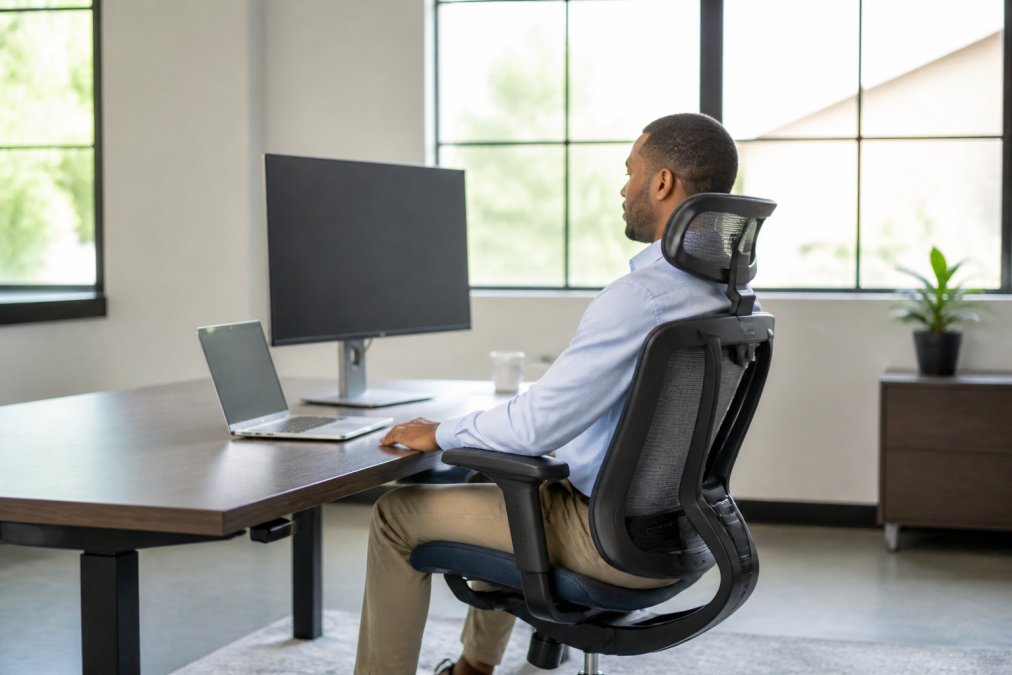
The Herman Miller Aeron is a benchmark that other ergonomic office chairs are often compared to. Its 8Z Pellicle suspension mesh distributes weight across the entire back and seat, helping to eliminate pressure points during extended sitting. Three size options (A, B, C) mean the Aeron fits different body proportions. The 12-year warranty reflects confidence in build quality. The Aeron is also GREENGUARD Certified and made from recycled content including ocean-bound plastic.
The honest limitation: no built-in headrest option from the manufacturer. For users who need neck support during reclined working, this requires an aftermarket addition.
Best for: Professionals logging six or more hours daily who prioritize breathability and long-term durability.
Steelcase Gesture: Best for Dynamic Postures
The Steelcase Gesture was designed around the reality that modern workers shift constantly between typing, reading, video calls, and phone use. Its arms move similarly to human arms, following the user’s position rather than forcing adaptation. The 4D armrest system is highly regarded in this category. Combined with a 400 lb. weight capacity and a synchronized seat and back system, the Gesture accommodates a wider range of body types and sitting styles. It ships fully assembled, eliminating frustrating setup.
Best for: Users who interact with multiple screens and devices throughout the day and need a chair that supports every posture.
Humanscale Freedom: Best for Minimal-Adjustment Comfort
The Humanscale Freedom takes a different philosophy than most ergonomic chairs. Rather than offering dozens of manual adjustments, it’s engineered to adapt automatically to the user’s movement. The recline mechanism uses the sitter’s body weight to calibrate resistance, so the chair responds to you rather than requiring configuration.
Best for: Users who want high-end comfort with minimal setup time, particularly in multi-user environments.
Haworth Fern: Best Backrest Design
The Haworth Fern’s digital knit backrest creates a hammock-like feel that distributes pressure across the entire back surface, adapting to the user’s shape rather than pushing back with a rigid frame. Build quality is exceptional.
The practical consideration: the Fern may not be readily available for in-person testing in all areas. Given the price point, sitting in one before purchasing is strongly recommended.
Best for: Users seeking a premium ergonomic experience with advanced back support and a distinctive aesthetic.
Branch Ergonomic Chair Pro: Best Mid-Range Value
The Branch Ergonomic Chair Pro delivers multiple points of adjustment at a price point that undercuts the premium tier significantly. The synchronous mechanism links the backrest and seat pan to tilt together, maintaining spinal alignment during recline. The 7-year warranty is strong for this price tier. Weight capacity is 300 lbs.
Best for: Home office workers and small business owners who want genuine ergonomic adjustability without a premium price tag.
Secretlab Titan Evo: Best for Hybrid Work and Gaming Setups
The Secretlab Titan Evo is highly adjustable for comfort customization. Its patent-pending cold-cure foam provides even pressure distribution, and the proprietary pebble seat base accommodates natural movement and multiple postures. The 4-Way L-ADAPT Lumbar Support System adjusts for both height and depth. The magnetic memory foam head pillow provides adjustable neck support that the Herman Miller Aeron lacks.
Best for: Remote workers and hybrid professionals who spend long hours at a desk and want a chair that performs across work and leisure use.
Autonomous ErgoChair Pro: Best Budget-Friendly Option
The Autonomous ErgoChair Pro offers multiple adjustable features including seat height, back tilt, and lumbar support, with a breathable mesh backrest and headrest. It supports users up to 300 lbs. The two-year warranty is a consideration for long-term use, and assembly can be challenging due to unclear instructions.
Best for: Work-from-home professionals on a tight budget who need better support than a standard task chair.
Best Office Chairs for Back Pain: What the Research Shows
Back pain is the leading reason people seek ergonomic office chairs. According to the National Institute of Neurological Disorders and Stroke’s guidance on back pain, prolonged sitting in a poorly designed chair is a significant contributing factor to lower back disorders.
Chairs most effective for lower back pain offer adjustable lumbar support positioned at the exact curve of the individual’s spine, not a fixed pad at standardized height. They also allow seat depth adjustment so the lower back maintains contact with lumbar support rather than pulling forward.
For users with specific conditions, chair selection becomes more targeted:
- Disc herniation: Chairs with tilt tension control and recline capability reduce disc pressure. The Steelcase Gesture and Herman Miller Aeron both allow reclined working positions that decrease spinal load.
- Sciatica: Pressure relief at the seat pan is critical. The Secretlab Titan Evo’s cold-cure foam and pebble seat base can help reduce pressure on the sciatic nerve pathway.
- Scoliosis or asymmetric posture: Highly adjustable chairs like the Branch Ergonomic Chair Pro allow independent adjustment of support points to accommodate asymmetry.
No chair substitutes for professional medical advice. If you have a diagnosed spinal condition, consult with a physical therapist or occupational health specialist before selecting a chair.
Buying a chair solely based on “ergonomic” marketing without verifying specific adjustment features is one of the most common mistakes in office furniture procurement. Many chairs labeled ergonomic offer only height adjustment and a fixed lumbar pad. Confirm that lumbar support is height-adjustable and that seat depth can be modified before purchasing.
How to Choose an Office Chair That Fits Your Body
Ergonomic design is not one-size-fits-all. The right chair depends on your height, weight, typical sitting posture, and the specific tasks you perform.
Weight Capacity and Body Mass Index Compatibility
Weight capacity is a structural safety specification, not just a comfort guideline. Most standard ergonomic chairs are rated between 250 and 300 lbs. The Steelcase Gesture stands out with a 400 lb. capacity, making it a strong option for users who need a higher weight rating without sacrificing ergonomic adjustability. For taller users, confirm the maximum seat height reaches a position where your feet rest flat on the floor without your knees rising above your hips.
Long-Term Durability and Warranty Coverage
Warranty length is one of the most reliable proxies for build quality in this category. Manufacturers who offer 12-year warranties (Herman Miller, Steelcase) are making a statement about the expected lifespan of their mechanisms and materials. Pre-owned premium chairs represent a compelling durability argument. A five-year-old Herman Miller Aeron with seven years of warranty remaining often performs well compared to a brand-new budget chair at a comparable price.
When evaluating pre-owned ergonomic chairs, test the pneumatic height adjustment cylinder, the tilt tension knob, and all armrest adjustments before purchasing. These mechanisms wear first. A chair with a stiff tilt knob or a slowly sinking seat cylinder needs service before it’s suitable for daily use.
Ergonomic Chair Adjustment Guide: Getting Your Setup Right
Buying the right chair is only half the equation. A poorly adjusted premium chair performs worse than a correctly adjusted mid-range one.
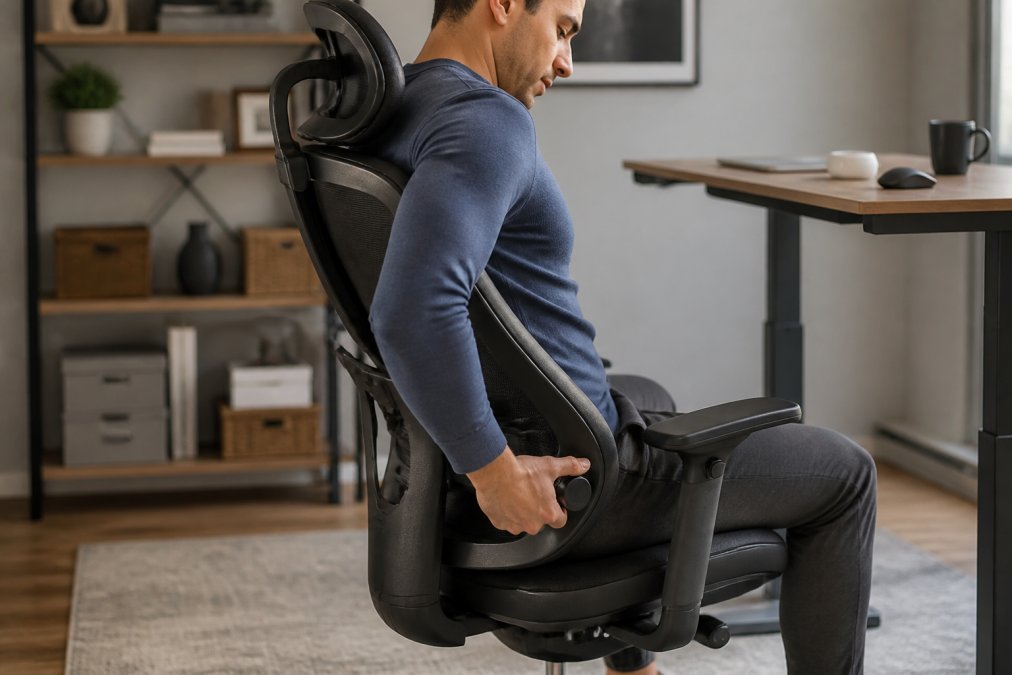
Follow this sequence when setting up any ergonomic office chair:
-
Set seat height first. Sit with your feet flat on the floor. Thighs should be roughly parallel to the ground, knees at approximately 90 degrees.
-
Adjust seat depth. Slide the seat pan so there are two to three fingers of space between the front edge and the back of your knee.
-
Position lumbar support. The lumbar pad should sit at the natural inward curve of your lower back, typically between the top of your pelvis and the bottom of your ribcage.
-
Set armrest height. Raise or lower armrests until your shoulders are relaxed, elbows are at approximately 90 degrees, and your wrists are neutral when your hands rest on the keyboard.
-
Adjust tilt tension. Set the recline resistance so the chair allows gentle backward movement under your natural sitting weight without requiring effort to return upright.
-
Configure headrest (if applicable). Position the headrest to support the back of your skull without pushing your chin toward your chest.
Integration with standing desks: If you alternate between sitting and standing, your chair height should be set for seated work, not adjusted each time you sit down. According to workplace wellness guidance from the American College of Occupational and Environmental Medicine, alternating between sitting and standing every 30 to 60 minutes can reduce musculoskeletal load more effectively than either posture alone.
The most important ergonomic adjustment is seat height. Everything else builds from the position of your feet on the floor. Get this right first, and the remaining adjustments become significantly easier to dial in.
| Adjustment | Target Position | Common Mistake |
|---|---|---|
| Seat height | Feet flat, knees at 90 degrees | Set too high, feet dangling |
| Seat depth | 2-3 fingers behind knee | Too deep, losing lumbar contact |
| Lumbar support | Natural spinal curve | Set too low, supporting sacrum |
| Armrest height | Shoulders relaxed, elbows at 90 degrees | Set too high, causing shoulder shrug |
| Tilt tension | Gentle recline under body weight | Too stiff, preventing natural movement |
| Headrest | Supporting skull, chin neutral | Too far forward, pushing head down |
Finding the right ergonomic office chair is genuinely difficult when you’re working from a spec sheet alone. Office Furniture Warehouse carries pre-owned Herman Miller and Steelcase inventory across more than four acres of showroom space, with expert design guidance to match chairs to your team’s needs and workspace layout. Visit our Cleveland showroom today to test the options that fit your budget and get the right chair the first time.
Frequently Asked Questions
Q: What are the top ergonomic office chairs for long hours of sitting?
A: The Herman Miller Aeron, Steelcase Gesture, and Humanscale Freedom are consistently recognized among ergonomic office chairs for extended sitting. Each offers adjustable lumbar support, synchro-tilt mechanisms, and pneumatic height adjustment. For budget-conscious buyers, the Branch Ergonomic Chair Pro and Autonomous ErgoChair Pro deliver solid adjustability at a lower price. The right choice depends on your body type, sitting habits, and how many hours per day you spend at a desk.
Q: What are the best office chairs for back pain?
A: Chairs with height-adjustable lumbar support and a synchro-tilt mechanism tend to work well for back pain. The Herman Miller Aeron's 8Z Pellicle mesh supports spinal alignment without pressure points, while the Steelcase Gesture adapts to multiple postures throughout the day. The Branch Ergonomic Chair Pro also offers adjustable lumbar support at a mid-range price. It is generally recommended that chairs allow the pelvis to tilt slightly forward, helping to keep the spine in a natural S-curve.
Q: Is it worth investing in a high-end ergonomic office chair?
A: For anyone sitting six or more hours daily, a quality ergonomic office chair can contribute to reduced discomfort and fewer posture-related issues over time. Premium models like the Herman Miller Aeron carry 12-year warranties, meaning the cost per year can be lower than it appears upfront. Pre-owned options from reputable sources can make these chairs more accessible within a realistic budget, often at a significant discount below retail, without sacrificing the ergonomic design that makes them effective.
Q: How do I adjust my office chair for proper ergonomics?
A: Start with seat height: your feet should rest flat on the floor with knees at roughly a 90-degree angle. Set seat depth so two to three fingers fit between the front edge of the seat pan and the back of your knees. Adjust lumbar support to sit at the curve of your lower back. Position 4D armrests so your shoulders stay relaxed and elbows rest at desk height. Finally, set tilt tension so reclining feels supported without resistance that forces you to stay upright.
Q: What is the difference between a task chair and an ergonomic chair?
A: A task chair is a broad category covering any wheeled office seat, while an ergonomic chair is specifically engineered to support natural posture and reduce strain during long work sessions. Ergonomic chairs typically include adjustable lumbar support, seat depth control, synchro-tilt mechanisms, and 4D armrests. Task chairs may offer only basic height adjustment. For workdays over four hours, an ergonomic design can provide better spinal alignment and pressure relief than a standard task chair.
This article was written using GrandRanker
