Last Updated: November 5, 2026
Quick Summary
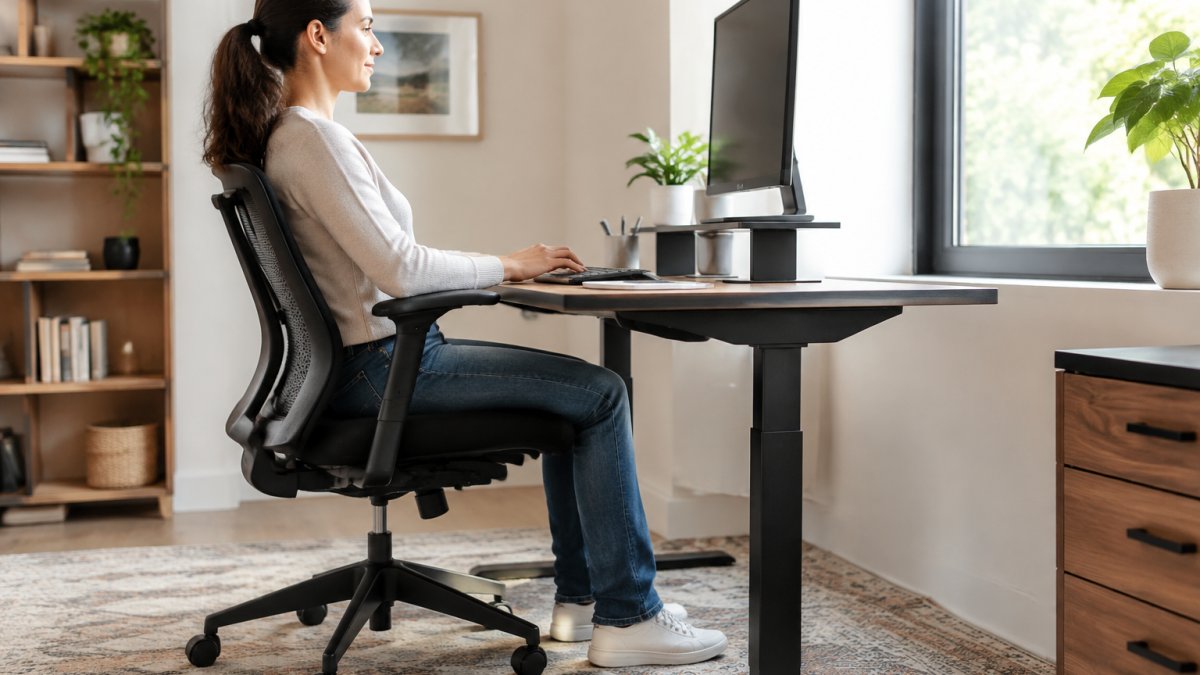
To set up an ergonomic home office on a budget, start with a postural assessment, then fix what you can for free by adjusting your desk, seat, monitor, and keyboard positions. Buy only what you cannot adjust, and prioritize pre-owned commercial-grade chairs and desks from liquidators, marketplaces, and surplus sales.
- Measure floor to elbow crease while seated to find your target desk height.
- Set the top third of your monitor at or slightly below eye level, about one arm’s length away.
- Check used chairs for failing gas cylinders, cracked welds, and tears at stress points.
- Place your desk perpendicular to a window and add one warm task lamp for evenings.
- Every 20 minutes, look at something far away for 20 seconds to reduce strain.
Table of Contents
- Start With a Postural Assessment Before You Buy Anything
- How to Make a Desk Ergonomic Using What You Already Own
- Monitor Height for an Ergonomic Desk and Screen Placement
- Cheap Home Office Setup Ideas That Actually Hold Up
- Your Ergonomic Workstation Checklist for a Functional Setup
- Micro-Break Routines That Prevent Repetitive Strain
- Build Your Ergonomic Home Office With Budget-Friendly Finds
- Frequently Asked Questions
Start With a Postural Assessment Before You Buy Anything
Most people buy a chair first and fix their posture later. That order is backwards. A postural assessment tells you what your body actually needs, so you spend money once instead of three times. Learning how to set up an ergonomic home office on a budget starts with your own body, not a catalog.
Here is a quick way to check your posture:
- Sit against a wall. Your head, upper back, and tailbone should touch it without forcing. If your lower back arches away from the wall, you have an anterior pelvic tilt, common from prolonged sitting. If your head juts forward, you have forward head posture.
- Check your shoulders. One sitting higher than the other hints at an uneven desk or a slouched habit. Roll your shoulders back and down; if they don’t stay there without effort, your desk or chair is forcing them up.
- Look at your wrists. Do they bend up or down when you type? They should stay flat. If your wrists extend upward, your keyboard is too high or too far away.
Write down what you find. That list becomes your shopping list.
How to Self-Correct Without Buying Anything
The point of an assessment is to fix what you can for free. Here is how to translate each finding into an action:
- Forward head posture. Raise your monitor so the top third is at eye level. If you use a laptop, put it on a stack of books and add an external keyboard. The goal is to bring the screen to you, not crane your neck toward it.
- Rounded shoulders. Lower your keyboard and mouse so your elbows hang at your sides, not winged out. A keyboard tray or a lower desk surface helps. If your desk is fixed, raise your seat and add a footrest.
- Anterior pelvic tilt. Tilt your pelvis back by imagining you are tucking your tailbone under. A small lumbar cushion or a rolled towel behind your lower back can hold that position. Avoid chairs with deep bucket seats that push your hips forward.
Every hour, sit back against your chair, roll your shoulders back and down, tuck your chin slightly, and notice where you feel tension.
If your current chair is adjustable, you may be able to fix half of these issues today. Our guide on how to adjust an ergonomic chair for better posture walks through each lever and dial in order.
Watch out: assessing posture while sitting in a chair you already know is broken gives you bad data. Assess on a flat stool or against a wall first.
How to Make a Desk Ergonomic Using What You Already Own
You do not need a new desk to make a desk ergonomic. You need the work surface at roughly your elbow level when your shoulders are relaxed. A standard dining table sits too high for most people; a coffee table sits far too low.
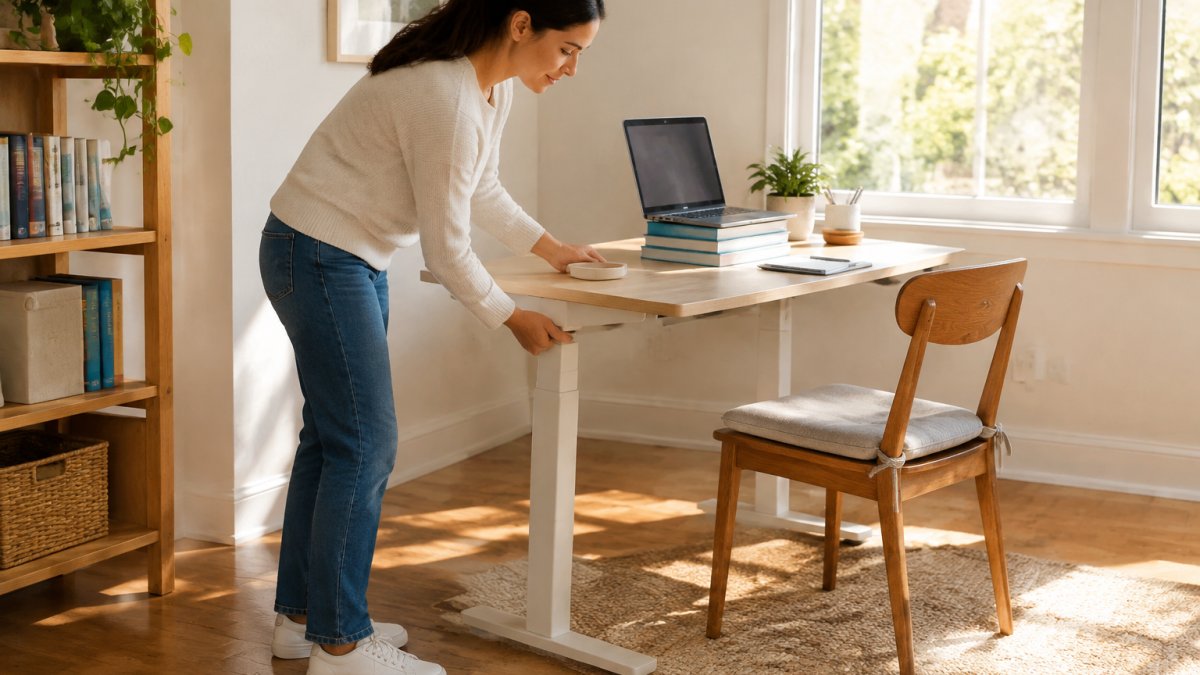
Measure from the floor to the crease of your elbow while seated with your feet flat. That number is your target desk height. Compare it to what you own.
Adjusting Desk Height Without Buying a New Desk
Three fixes cost nothing:
- Lower the desk, not your body. If your desk has adjustable legs, drop it. If it does not, remove any risers under the legs.
- Raise your seat instead. A firm cushion or a folded blanket under you lifts your body to meet the desk.
- Add a footrest. A box, a stack of books, or a sturdy storage bin under the desk stops your feet from dangling.
The goal is simple: elbows at desk height, feet flat, knees level with hips.
Repurposing Furniture and Maximizing Vertical Space
A dresser, a console table, or an old dining table can all work as a desk if the height is right. Measure before you move anything. Then look up, not out, vertical space is free square footage.
- Wall shelves above the desk hold binders, printers, and supplies.
- Stacked crates beside the desk replace a filing cabinet.
- Hanging organizers on the wall free up the desktop entirely.
A clutter-free surface gives your mouse and keyboard room to sit where your hands actually land.
Monitor Height for an Ergonomic Desk and Screen Placement
Monitor height for an ergonomic desk means the top third of the screen sits at or slightly below eye level, with the screen about an arm’s length away. Get this wrong and you will feel it in your neck within a week.
Here is how to set it without buying a monitor arm:
- Stack books under the stand. Cheap, stable, and adjustable in small steps.
- Use a ream of paper. Two reams get most laptops to the right height.
- Tilt the screen back slightly. A small upward tilt reduces glare and keeps your head neutral.
If you run two screens, matching heights matters more than matching models. Our step-by-step guide on how to set up dual monitors ergonomically covers the spacing and angle details.
Keyboard and Mouse Positioning for Wrist Alignment
Wrist alignment is the difference between typing all day and typing until your hands ache.
A keyboard tray helps if your desk is too high. So does a folded towel under your wrists, though it should support, not prop them up.
Watch out: wrist rests that sit under your palms while you type press on the nerves in your wrist. Rest on them between keystrokes, not during.
Cheap Home Office Setup Ideas That Actually Hold Up
Cheap home office setup ideas fail when they trade durability for price. The trick is buying professional-grade gear someone else already paid full price for. Pre-owned office furniture is the single best value in this category.
Second-Hand Market Sourcing for Professional-Grade Equipment
Corporate offices often decommission commercial-grade chairs and desks that still have years of life left. Where you look matters as much as what you look for.
Where to find used office furniture:
- Office furniture liquidators. When companies downsize or relocate, liquidators buy entire inventories and resell them, often at a steep discount to retail.
- Online marketplaces. Facebook Marketplace, Craigslist, and OfferUp are hit-or-miss but can surface individual sellers. Set saved searches for Steelcase, Herman Miller, and Haworth, and check alerts daily, good pieces sell within hours.
- Government and university surplus sales. Public institutions sometimes auction surplus furniture, and you can often inspect items before bidding. Check your state’s surplus property website and local university procurement pages.
What to check before you buy used:
- Gas cylinders on chairs. Sit and raise the seat; it should hold without sinking. A failing cylinder is a sign of heavy use.
- Frame welds and joints. Look for cracks, not scuffs. A cracked weld on a chair base is a safety issue.
- Fabric condition. Stains are cosmetic; tears at stress points are not. Check the seat edge and armrests.
Negotiation and inspection tips:
- Buy in person when possible. Photos hide wobble and odor. Sit in the chair, roll it, and test every adjustment.
- Ask about history. A call-center chair saw eight hours a day; a conference-room chair saw two. The seller often knows.
- Bundle to save. Liquidators often discount a chair, desk, and filing cabinet bought together.
Hygiene is a fair concern with used chairs and desks. Our article on how to sanitize second hand office furniture safely covers the right products and the surfaces people forget.
EPA guidance on safe cleaning and disinfecting practices is a solid reference for choosing cleaners that will not damage upholstery or laminate.
Lighting, Cable Management, and Acoustic Fixes on a Shoestring Budget
Lighting changes how long you can work without eye strain. For a deeper look, see our guide on how to optimize office lighting for employee wellness.
Cable management is the cheapest visual upgrade you can make:
- Velcro ties or zip ties to bundle runs
- Adhesive clips along the back edge of the desk
- A labeled box or basket for the power strip
If you want a full method, our article on 7 steps to manage cables in a home office breaks it down.
Noise is the fix most budget guides skip. A rug under the desk, a bookshelf against a shared wall, and a heavy curtain cut echo fast.
Your Ergonomic Workstation Checklist for a Functional Setup
An ergonomic workstation checklist keeps you honest after the setup is done. Run through this once a month, because bodies and habits drift.
| Check | Target | Quick Fix |
|---|---|---|
| Seat height | Feet flat, knees level with hips | Cushion or footrest |
| Desk height | Elbows at surface level | Adjust legs or raise seat |
| Monitor top | At or just below eye level | Books or riser |
| Screen distance | About one arm’s length | Move the monitor, not your head |
| Wrists | Flat, forearms parallel to floor | Keyboard tray or lower desk |
| Lighting | No glare on screen | Reposition desk or add a lamp |
| Cables | Off the floor, bundled | Ties and clips |
| Clutter | Clear desktop | Vertical storage |
Print it. Tape it inside a drawer. A functional setup is one you check, not one you set once.
Micro-Break Routines That Prevent Repetitive Strain
Repetitive strain builds quietly. The fix is not a longer stretch session but small, frequent interruptions to the same position.
A routine that costs nothing:
- Every 20 minutes: look at something far away for 20 seconds.
- Every hour: stand, roll your shoulders, and walk to refill your water.
- Every two hours: do a 60-second wrist and neck stretch.
Set a timer. Most people underestimate how long they sit still.
Two habits matter more than any stretch. Keep your mouse within easy reach, and keep your shoulders down. A raised shoulder held for hours is a repetitive strain injury waiting to happen. OSHA guidance on ergonomics and musculoskeletal disorders explains why position matters more than strength for desk workers.
Build Your Ergonomic Home Office With Budget-Friendly Finds
The best budget setups mix what you own with a few well-chosen pre-owned pieces.
At Office Furniture Warehouse, we have spent over 35 years helping people furnish workspaces. Our 4-acre inventory includes pre-owned and new pieces from premium brands, plus expert design and layout planning to help you place everything correctly.
Pricing depends on the piece, quantity, and delivery distance. Visit our showroom or contact us for current availability and a quote.
Frequently Asked Questions
What is the most important item in an ergonomic home office?
The chair matters most because it controls your seated posture for hours at a time. Look for adjustable seat height, lumbar support, and a seat depth that lets your back rest against the backrest with knees at roughly 90 degrees. A used Steelcase or Herman Miller chair from a reputable dealer often costs less than a new budget model and lasts far longer. If the chair is fixed, add a cushion or footrest to fine-tune the fit.
Can I create an ergonomic workstation without buying a new desk?
Yes. Raise the desk surface with sturdy bed risers or blocks so your elbows sit near 90 degrees, then add a footrest if your feet leave the floor. A laptop stand or a stack of books brings the screen to eye level, and a separate keyboard and mouse keep your wrists straight. These small changes address desk height, monitor height for an ergonomic desk, and wrist alignment without replacing furniture.
How do I make my desk and chair more ergonomic on a tight budget?
Start with the chair: adjust seat height so feet rest flat, add a lumbar cushion if support is missing, and use a folded towel for seat depth. For the desk, raise the surface or lower the chair and add a footrest. Then position the monitor at eye level and keep the keyboard close. A cheap home office setup ideas list should prioritize these adjustments before any new purchase, since they cost little and deliver most of the comfort gain.
What should I check on an ergonomic workstation checklist?
Confirm feet flat on the floor, knees near 90 degrees, and elbows at desk height. The monitor top should sit at or slightly below eye level, about an arm’s length away. Wrists should stay neutral with the keyboard flat or slightly negative. Add task lighting to reduce screen glare, route cables to keep the surface clutter-free, and schedule micro-breaks every 30 to 45 minutes to reset posture and reduce repetitive strain.
Your back will tell you within a week whether your setup works. Start with the postural assessment, fix your heights with what you own, and buy only what you cannot improvise. Get started with Office Furniture Warehouse and build a workspace that supports you for years, not months.

