Table of Contents
- Why Your Chair’s Default Settings Are Working Against You
- What You’ll Need Before You Adjust an Ergonomic Chair
- Step 1: Set Seat Height So Your Feet Sit Flat
- Step 2: Dial In Ergonomic Chair Lumbar Support Adjustment
- Step 3: Armrests, Tilt Tension, and the 90-90-90 Sitting Rule
- Step 4: How to Fix Neck Pain From Computer Work at Your Desk
- Troubleshooting Chairs That Don’t Adjust
- A 60-Second Posture Check You Can Run Every Morning
- Frequently Asked Questions
Last Updated: September 28, 2026
Why Your Chair’s Default Settings Are Working Against You
Knowing how to adjust ergonomic chair settings for posture starts with one truth: the chair arrived set up for nobody in particular. Factory defaults favor the average body, and almost nobody is average. A poorly fitted chair pushes your shoulders forward, flattens your lower back, and forces your neck into a slow forward lean.
What You’ll Need Before You Adjust an Ergonomic Chair
Gather these first, because stopping halfway throws off your measurements:
- A tape measure for checking seat pan depth
- A mirror or phone camera to see your back alignment from the side
- A footrest, if your feet don’t reach the floor after height adjustment
- Your actual work setup: keyboard, mouse, and monitor in place
- Five minutes of patience for the tilt tension dial
Step 1: Set Seat Height So Your Feet Sit Flat
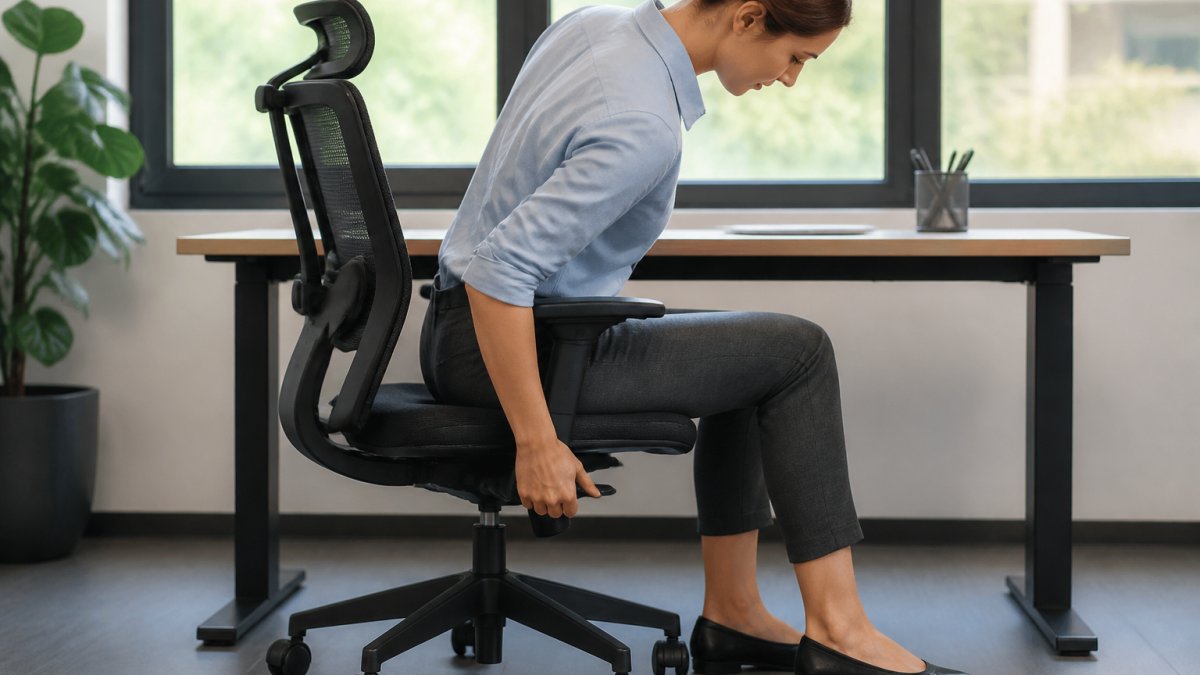
Seat height comes first because every other setting depends on it. Raise or lower the seat until your feet rest flat and your thighs sit roughly parallel to the floor, using the pneumatic lever or paddle under the seat pan.
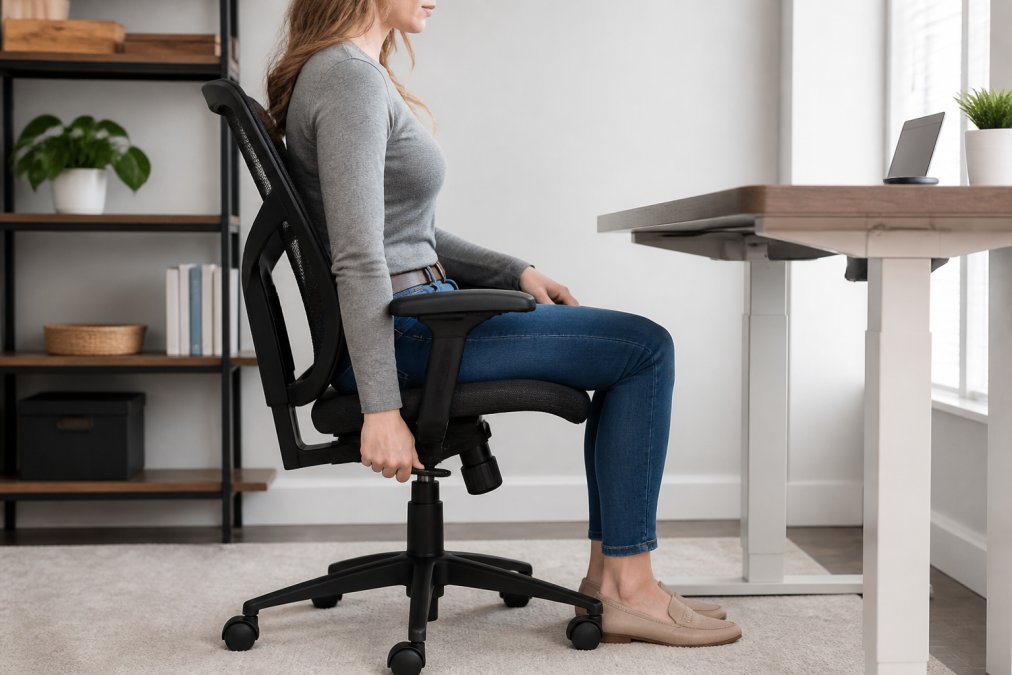
Sit down before you adjust. Then:
- Find the height lever, usually on the right side under the seat.
- Lift your weight slightly off the seat and pull the lever up to raise, or push down to lower.
- Release the lever to lock the height.
- Check that your knees sit at about a 90-degree angle.
- Confirm your feet are flat, not dangling or tucked under the chair.
The popliteal gap and seat pan depth check
Seat pan depth is the distance from the front edge of the seat to the backrest. It should leave a two-to-three finger gap between the back of your knee and the seat edge, the popliteal space. Pinching it cuts off leg circulation.
Step 2: Dial In Ergonomic Chair Lumbar Support Adjustment
Knowing how to adjust ergonomic chair lumbar support is the step most people skip, and the one your lower back notices most. The pad should sit in the natural inward curve of your lower spine, roughly at belt height.
Here’s how to place it:
- Sit all the way back so your hips touch the backrest.
- Feel for the inward curve above your belt line.
- Raise or lower the lumbar pad until it fills that curve.
- Tighten or loosen the pad’s depth so it supports without pushing you forward.
Where the backrest curve should land on your spine
The backrest should contact three points: pelvis, mid-back, and upper back. Too high, it hits your ribs and arches you forward; too low, your lower back sags into a C-shape.
Step 3: Armrests, Tilt Tension, and the 90-90-90 Sitting Rule
The 90-90-90 sitting rule means elbows, hips, and knees at roughly 90 degrees, a starting point, not a cage. It only holds if your armrests and tilt tension are set correctly, two mechanisms most people never touch.
Armrest height: the shoulder-drop test
Set armrest height so your forearms rest lightly and your shoulders stay down. The test: sit back, let your arms hang, then raise the armrest until it just meets your forearms without lifting them. Shoulders rising means too high; reaching down means too low.
Armrest width: why splayed arms wreck your shoulders
Armrest width is the adjustment almost nobody makes, and it quietly causes shoulder tension. Too wide, your arms splay into a held shrug; too narrow, you hunch inward and round your upper back.
Tilt tension: match it to your body weight
Tilt tension controls how easily the chair reclines. Turn the dial under the seat until leaning back takes light effort and the chair holds you there. Push back gently, the chair should move with you and stop where you stop. Snapping upright means too high; flopping back means too low.
Test your armrest and tilt settings together, not separately. Armrest height changes how much you lean on the chair, and tilt tension changes how much weight your armrests carry. Adjust one, sit for a minute, then adjust the other.
Step 4: How to Fix Neck Pain From Computer Work at Your Desk
Learning how to fix neck pain from computer work comes down to two things: monitor height and headrest position. A screen that sits too low tips your cervical spine forward all day.
Follow this order:
- Set your monitor so the top third of the screen sits at eye level.
- Sit back, then check that you’re not craning forward.
- Adjust the headrest so it cradles the base of your skull, not your neck.
- Keep the headrest slightly forward so it supports you when you recline.
The headrest is for reclined support, not upright sitting. If it pushes your head forward when you sit straight, move it back or up a notch.
Troubleshooting Chairs That Don’t Adjust
Plenty of chairs have no levers at all, and you can still make them work by changing your setup around the chair instead of fighting it. If you’re working from a dining chair, a fixed-height stool, or a hand-me-down office chair with one broken lever, the fixes below are for you.
Start by measuring your body, not the chair
Before you hack anything, get two numbers. Your popliteal height: sit on a hard surface with feet flat and measure floor to the underside of your knee, your ideal seat height. Your elbow height: sit with upper arms relaxed and measure floor to the point of your elbow, your ideal armrest height.
Fixed-height chair, feet dangling
If your popliteal height exceeds your chair’s seat height, your feet dangle and your thighs take pressure on the front edge. Add a footrest tall enough to bring your knees to roughly 90 degrees, adjustable is best, but books, a box, or a firm cushion works. Goal: feet flat, knees at 90 degrees, thighs parallel to the floor.
No lumbar support
Roll a towel or use a small cushion at belt height, in the inward curve of your lower back. A rolled bath towel about 3 to 4 inches in diameter works for most people; tape or tuck it so it doesn’t slide. A firm lumbar pillow with a strap also works, soft pillows compress and stop supporting within an hour.
Seat too deep
If the front edge of the seat presses into the back of your knees, the seat pan is too deep. Slide a firm cushion behind your lower back to shorten the effective seat pan, aiming for a two-to-three finger gap between the back of your knee and the seat edge.
Armrests too high or fixed
Fixed armrests that are too high push your shoulders up all day. Remove them if detachable; if not, lower your keyboard and mouse so your forearms clear the armrests, or use a keyboard tray below the armrest line. You can also slide the pads back so they support your forearms only when you’re not typing.
Everything locked
If the chair won’t adjust at all, adjust the desk instead, raise or lower it to meet the chair, not the other way around. A sit-stand desk or riser gives the most range. If the desk is fixed too, use a footrest and seat cushion to bring your body up to the desk.
Adjusting for non-standard heights
Never force a stiff adjustment lever. If it won’t move, the mechanism may be locked or worn. Forcing it can crack the housing and cost you the chair.
If you’re sourcing chairs for a whole team, a supplier who knows the inventory pays off. Office Furniture Warehouse stocks new and pre-owned Steelcase and Herman Miller seating, so you can match a full floor of workstations while maximizing your budget.
A 60-Second Posture Check You Can Run Every Morning
Run this quick check before you start work, and again after lunch:
- Feet flat, knees at 90 degrees
- Two-to-three finger gap behind your knees
- Lumbar pad in your lower back curve
- Shoulders relaxed, elbows near 90 degrees
- Monitor top third at eye level
- Chair reclined slightly, not locked upright
A well-adjusted chair removes the effort of holding good posture. If you’re constantly correcting yourself, the chair is set wrong, not you.
Frequently Asked Questions
What is the 90-90-90 rule for sitting?
The 90-90-90 rule means three joints sit at roughly 90-degree angles: elbows, hips, and knees. Elbows rest near your sides with forearms level, hips open at a right angle against the backrest, and knees bend at 90 degrees with feet flat. It works as a quick check because hitting all three angles usually puts your spine in a neutral position without extra effort. If one angle is off, adjust that part of the chair first.
How should lumbar support be positioned on an ergonomic chair?
Set the lumbar pad so it presses into the inward curve of your lower back, roughly at belt height or just above it. When you lean back, your pelvis should stay neutral instead of rolling under. If the pad sits too low, it pushes your hips forward; too high, and it arches your mid-back instead. Many chairs let you slide the pad up or down, so test two or three positions before locking it in.
Can an ergonomic chair fix posture on its own?
No. A chair supports good posture, but it cannot create it. You still need to sit back into the seat pan, keep your feet grounded, and change position every 30 to 45 minutes to avoid postural fatigue. Chairs with adjustable seat depth, tilt tension, and lumbar height make correct sitting easier to hold, but movement throughout the day matters just as much as the settings themselves.
What is the correct height for an office chair?
Set the seat so your feet rest flat on the floor and your thighs sit parallel to the ground, with knees at about a 90-degree angle. There should be a small gap of two to three fingers between the back of your knee and the front edge of the seat. If your desk is fixed and the chair ends up too high, add a footrest rather than lowering the seat below the correct height.
Most posture problems trace back to a chair set up for someone else’s body, and fixing that takes ten minutes, not a new budget. At Office Furniture Warehouse, we help teams across the Midwest get seating that actually fits, with over 4 acres of new and pre-owned inventory, expert layout planning, and flexible pickup or delivery. Visit our showroom and get your workspace set up right.
