Table of Contents
- Standing Desk Risks: What the Research Actually Shows
- The Hidden Dangers of Prolonged Sitting
- Health Risks of Standing Too Long: Musculoskeletal and Circulatory Impacts
- Recommended Standing Desk Duration: Finding Your Sit-Stand Ratio
- Ergonomic Standing Desk Setup Guide for Neutral Spine Alignment
- How to Fix Neck Pain from Computer Work
- What Competitors Miss: Footwear, Floor Surfaces, and Pre-Existing Conditions
- Conclusion: Balancing Standing Desk Risks with Real Benefits
- Frequently Asked Questions
Last Updated: October 6, 2026
Standing Desk Risks: What the Research Actually Shows
Ask most people what are the risks of a standing desk and you’ll get a shrug and a vague mention of sore feet. The real picture is more nuanced.
At Office Furniture Warehouse, we’ve spent over 35 years outfitting workspaces, and we’ve watched the sit-stand pendulum swing from “sitting is the new smoking” to a more measured view. This guide breaks down what actually goes wrong, who’s most at risk, and how to set up a workstation that avoids the trade-offs.
A standing desk is not a cure for a sedentary lifestyle. It’s a tool for breaking up sitting time. Used without limits, it creates a new set of problems.
The Hidden Dangers of Prolonged Sitting
Sitting for long stretches is the problem a standing desk is meant to solve, and it’s worth understanding why.
The World Health Organization’s physical activity guidelines recommend breaking up sitting time throughout the day, not replacing it with a different static position. That distinction matters.
What most people miss is that the damage from sitting isn’t about the chair. It’s about the absence of movement. That’s why transition frequency, not total standing time, is the variable that actually protects your health.
Health Risks of Standing Too Long: Musculoskeletal and Circulatory Impacts
Standing for extended periods triggers two distinct problem categories: musculoskeletal stress and circulatory strain. Both develop gradually, which is why they catch people off guard.
Spinal Discs, Joint Compression, and Lower Back Pain
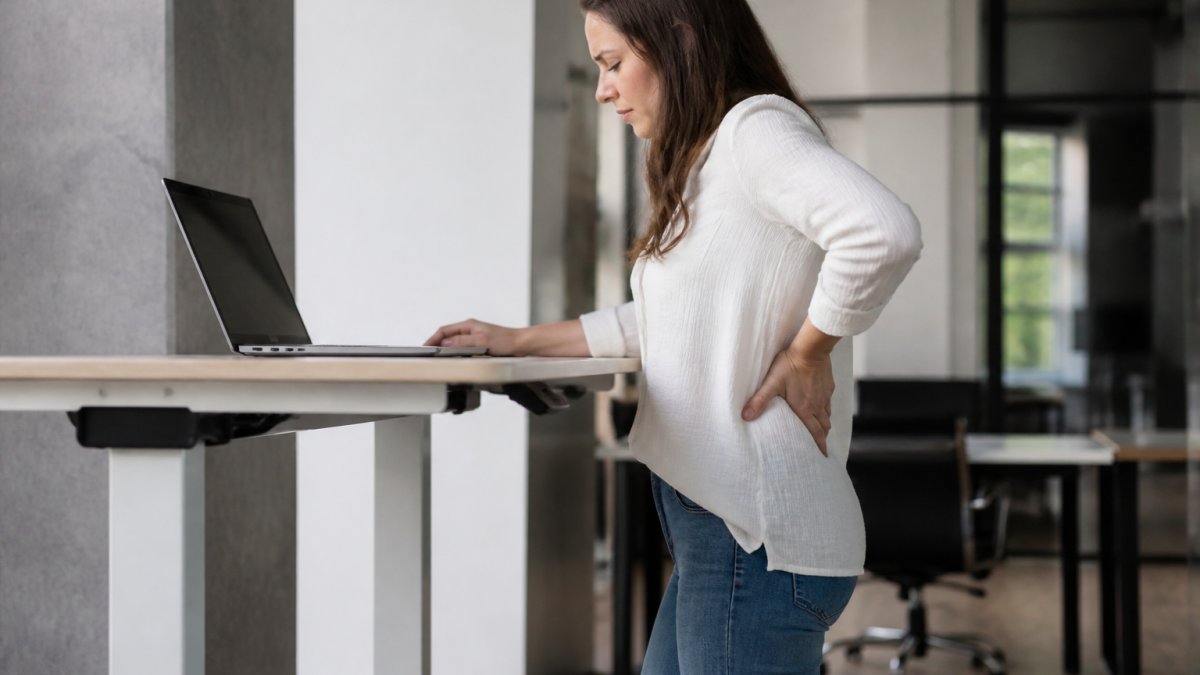
Standing compresses the spinal discs and loads the joints in your hips, knees, and feet more than sitting does. A common mistake is standing on a hard floor in flat shoes for hours, which concentrates that load and leads to lower back pain and postural fatigue.
The fix is not to avoid standing. It’s to limit each standing bout and support the body while you’re upright. Anti-fatigue mats, supportive footwear, and frequent position changes all reduce joint compression. Without them, static standing produces the same repetitive strain that prolonged sitting does.
Venous Insufficiency, Leg Edema, and Varicose Veins
Blood pools in the legs when you stand still. The calf muscles act as a pump to push blood back to the heart, but that pump only works when you move. Stand motionless for an hour and you may notice leg edema, heaviness, and over time, venous insufficiency or varicose veins.
People with existing vascular health concerns face higher risk here. If you already have circulation issues, a standing desk needs to be paired with movement breaks and compression, not used as a static platform.
| Risk Area | What Happens | Practical Fix |
|---|---|---|
| Spinal discs | Compression from static standing | Alternate positions every 30-60 min |
| Lower back | Postural fatigue and strain | Anti-fatigue mat, neutral spine |
| Legs and veins | Blood pooling, edema | Walk every 30 min, compression socks |
| Hips and knees | Joint compression | Supportive footwear, soft flooring |
| Feet | Repetitive strain | Cushioned shoes, mat, footrest |
Recommended Standing Desk Duration: Finding Your Sit-Stand Ratio
The recommended standing desk duration for most people is a starting ratio of 1:3, meaning roughly 15 to 20 minutes of standing for every hour of seated work, building gradually toward a 1:1 ratio as tolerance improves.
That 1:3 starting point is not arbitrary. It reflects the fact that most people’s postural muscles, calf pumps, and foot structures are deconditioned after years of desk work.
A practical ramp-up schedule:
- Week 1: Stand 15 to 20 minutes per hour, split into two 10-minute bouts.
- Week 2: Extend each bout to 15 minutes, keeping total standing under 2 hours per day.
- Week 3: Move to 30 minutes standing per hour, with a seated break in between.
- Week 4 and beyond: Work toward 1:1 only if you feel no lower back or foot fatigue by end of day.
- Never stand for more than 60 minutes without a seated or walking break.
Transition frequency matters more than total standing time. Moving between positions every 30 to 60 minutes keeps blood flowing and relieves joint compression.
Warning Signs You’re Standing Too Long
Stop and sit down if you notice any of these:
- A dull ache in the lower back that does not ease when you shift weight.
- Swelling, heaviness, or visible puffiness around the ankles by mid-afternoon.
- Numbness or tingling in the feet or toes.
- A throbbing sensation behind the knees.
- Neck or shoulder tension that builds rather than releases.
These are not signs of weakness. They are signs that the standing bout exceeded what your circulatory and musculoskeletal systems can currently tolerate. Shorten the bout, add a walking break, and rebuild.
The Pre-Existing Condition Adjustment
Most guides give one ratio for everyone. That is a mistake. If you have varicose veins, plantar fasciitis, chronic lower back issues, or a history of deep vein thrombosis, the standard ramp-up is too aggressive. A common pattern among clinicians is to recommend these users cap standing bouts at 10 to 15 minutes and pair every standing bout with a short walk, compression socks, or both. Talk to a clinician before committing to a standing schedule if any of these apply to you.
Standing through an entire 8-hour workday does not improve your health. It increases your risk of venous insufficiency, lower back pain, and foot strain. The benefit comes from switching positions, not from standing more.
Ergonomic Standing Desk Setup Guide for Neutral Spine Alignment
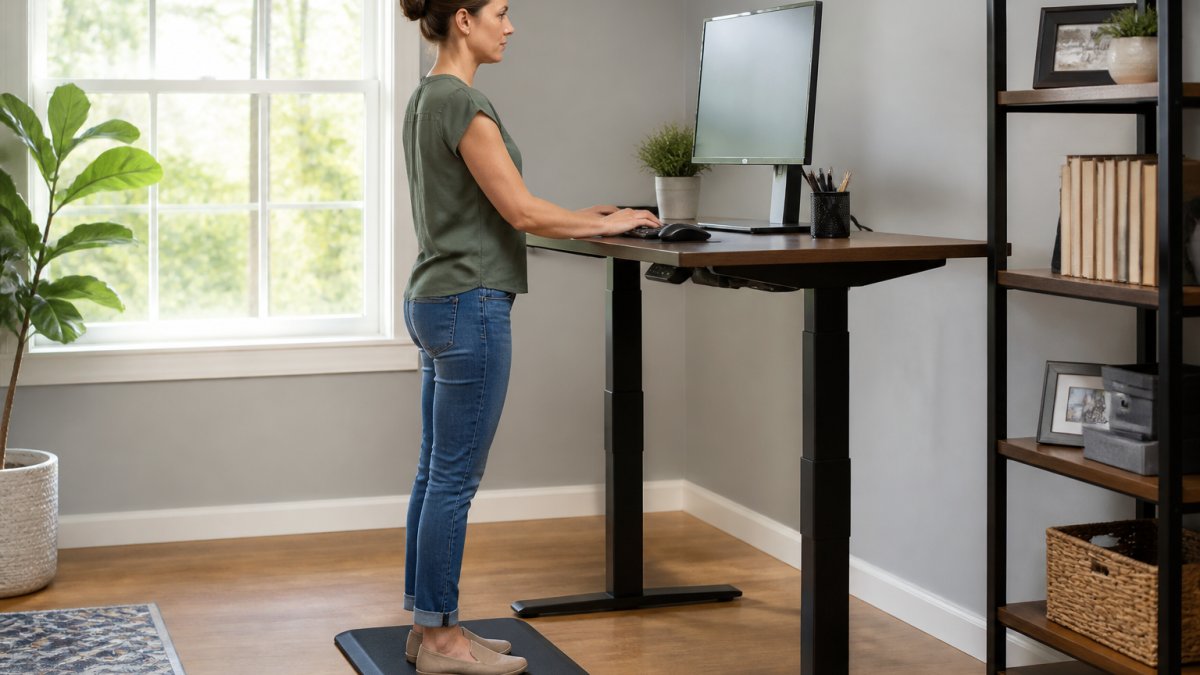
A correct ergonomic standing desk setup guide starts with one measurement: desk height at your bent-elbow level.
Here is the part most guides skip. Elbow height is not a fixed number. It varies with your height, torso length, and footwear.
The Adjustment Sequence
Set the desk in this order. Changing one setting after another is why most setups end up wrong.
- Desk height first. Raise or lower until your elbows sit at 90 degrees with your upper arms hanging straight down. Shoulders should feel loose, not shrugged.
- Monitor second. Top of the screen at or just below eye level. The screen should be roughly an arm’s length away, about 20 to 30 inches.
- Keyboard and mouse third. Close enough that your elbows stay near your sides. Reaching forward pulls the shoulders and neck out of alignment.
- Feet last. Flat on the floor or a footrest, never dangling. If your feet dangle, the desk is too high.
Weight Distribution and Micro-Shifts
A neutral spine means your ears, shoulders, and hips stack in a vertical line. Most standing desk discomfort traces back to a desk set too high, which forces the shoulders up and the neck forward.
But even a perfect setup becomes a problem if you hold it without moving. Shift your weight between both feet rather than favoring one hip. A common pattern is to rest one foot on the desk’s footrest bar and alternate every few minutes.
Footwear and Floor Surfaces: The Factors Most Guides Ignore
Standing on concrete or thin carpet in flat, unsupportive shoes concentrates pressure on your feet and lower back. This is the single most overlooked variable in standing desk ergonomics, and it is the one you can change today without buying anything.
- Hard floors (concrete, tile, hardwood): An anti-fatigue mat is not optional. The mat’s slight give encourages micro-movements in your feet and calves, which keeps blood moving.
- Thin carpet over concrete: The carpet adds almost no cushioning. Treat it like a hard floor.
- Thick padded carpet or a standing mat: Better, but still pair it with supportive shoes.
- Footwear: Cushioned shoes with arch support reduce load on the plantar fascia and lower back. Flat, thin-soled shoes or barefoot standing on a hard floor is the fastest route to foot pain.
If you stand on a hard floor all day, footwear is not a detail, it’s a requirement. The combination of a hard floor, flat shoes, and a static stance is what produces most of the foot and lower back complaints attributed to standing desks.
Pre-Existing Conditions and Setup
If you have a history of lower back pain, venous insufficiency, hip or knee problems, or foot conditions like plantar fasciitis, the standard setup may need modification. A footrest that lets you alternate one foot up at a time reduces lumbar load. Compression socks address the circulatory side. Talk to a clinician before committing to prolonged standing, and start with shorter bouts than the standard ramp-up.
A standing desk doesn’t fix neck pain on its own if the monitor is still too low. The same posture correction principles apply whether you’re sitting or standing.
How to Fix Neck Pain from Computer Work
Knowing how to fix neck pain from computer work comes down to two levers: screen position and movement. Neck strain at a computer almost always starts with a monitor that sits too low or too far away, pulling the head forward into a sustained forward-head posture.
Fix it in this order:
- Raise the monitor so the top edge is at eye level.
- Move the screen to arm’s length, roughly 20 to 30 inches away.
- Keep the keyboard at elbow height so the shoulders stay relaxed.
- Take a 20-second break every 20 minutes to look at something distant.
- Add gentle neck and shoulder mobility work between tasks.
The same posture correction principles apply whether you’re sitting or standing. A standing desk doesn’t fix neck pain on its own if the monitor is still too low.
What Competitors Miss: Footwear, Floor Surfaces, and Pre-Existing Conditions
Three factors get almost no attention in standard standing desk advice, and they matter as much as the desk itself.
Footwear and floor surfaces. Standing on concrete or thin carpet in flat, unsupportive shoes concentrates pressure on your feet and lower back.
The psychological impact of standing. Standing changes how people feel at work.
The broader category of ergonomics is about matching the workstation to the person, not forcing the person to adapt to a fixed height.
Conclusion: Balancing Standing Desk Risks with Real Benefits
The risks of a standing desk are manageable, but they are real: joint compression, circulatory strain, and postural fatigue all show up when standing becomes static and unlimited.
At Office Furniture Warehouse, we help teams get this right with expert design and layout planning, a four-acre inventory of new and pre-owned furniture, and premium brands like Steelcase and Herman Miller.
Visit our showroom today and let our team help you find the right sit-stand solution for your space and your budget.
Frequently Asked Questions
Is a standing desk bad for your health?
A standing desk is not inherently bad, but using it incorrectly creates real health risks. Static standing for hours causes musculoskeletal stress, joint compression, and venous insufficiency. The key is transition frequency. Research supports alternating between sitting and standing every 30 to 60 minutes. Used properly with an anti-fatigue mat and supportive footwear, a standing desk can reduce the cardiovascular risk linked to a sedentary lifestyle without introducing new problems.
What is the 20/8/2 rule for standing desks?
The 20/8/2 rule suggests sitting for 20 minutes, standing for 8 minutes, and moving for 2 minutes in each 30-minute cycle. This pattern addresses the core problem with any fixed posture: blood flow and spinal discs need frequent position changes. A 2-minute movement break might mean walking to refill water or doing hip flexor stretches. This ratio keeps you within the recommended standing desk duration while supporting vascular health and reducing postural fatigue.
Can standing desks cause varicose veins or back pain?
Standing desks can contribute to both if you stand too long without moving. Prolonged static standing increases pressure in leg veins, which can worsen venous insufficiency and leg edema, especially in people with pre-existing circulatory conditions. For back pain, the issue is usually poor ergonomic alignment: a monitor too low, locked knees, or no anti-fatigue mat. Proper setup, supportive shoes, and a sit-stand ratio that includes movement breaks prevent most of these issues.
How do I properly set up a standing desk to avoid injury?
Start with the desk at elbow height when your arms hang relaxed. Position your monitor so the top third is at eye level, roughly an arm’s length away. Keep your wrists flat and elbows at 90 degrees. Use an anti-fatigue mat and wear supportive footwear to reduce joint compression. Shift weight between feet, and avoid locking your knees. Check your neutral spine by standing tall with shoulders back. Reassess your setup every few weeks as your body adapts.
