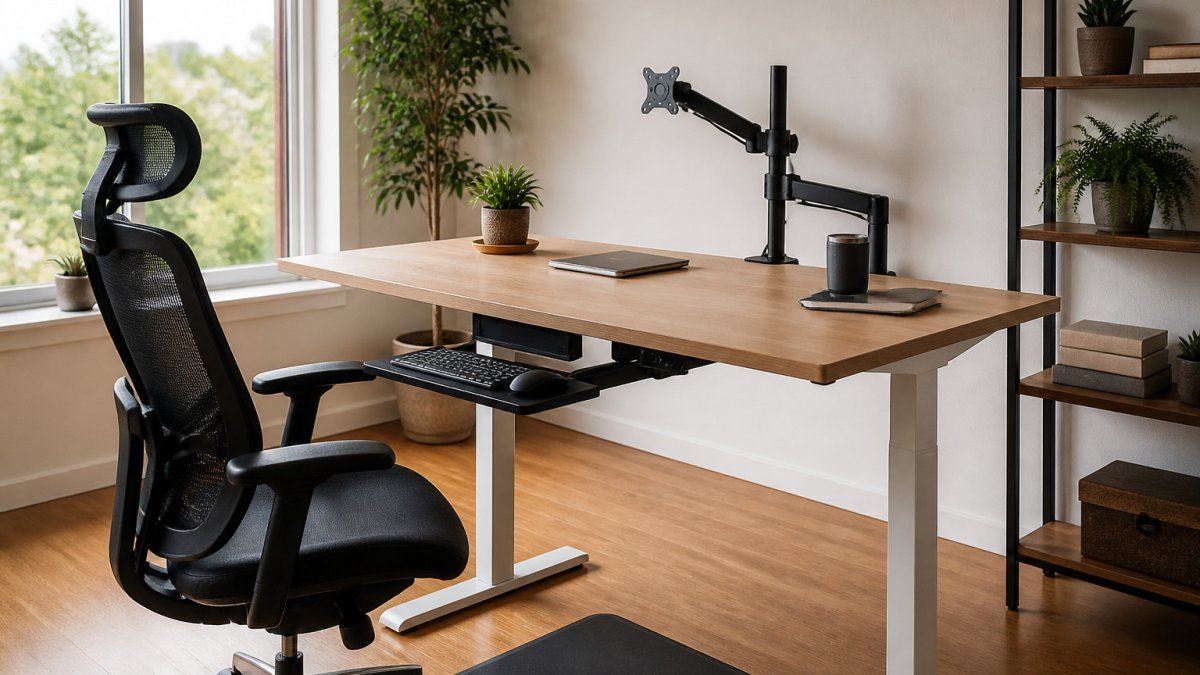
Last Updated: October 31, 2026
Quick Summary
Improving focus with an ergonomic workspace setup works by removing recurring physical discomfort that pulls your attention away from work. Adjust your chair height and lumbar support, set your keyboard and monitor at the right heights, and control glare with side-placed windows and matte screens. Track interruptions and focused-work stretches for a week before and after each change.
- Physical discomfort acts as a recurring distraction that forces you to keep pushing your attention back to the task.
- Set your chair so your feet rest flat and your knees bend at about a right angle.
- Place the top of your monitor at or just below eye level to keep your neck neutral.
- Position windows to the side of your screen to reduce glare and eye strain.
- Change one variable at a time and give each change three to five working days.
Table of Contents
- Why Physical Discomfort Breaks Your Focus
- What You Need Before You Start Your Ergonomic Desk Setup
- Step 1: Set Your Chair Height and Lumbar Support
- Step 2: Position Your Desk and Keyboard
- Step 3: Find the Right Monitor Height for Your Ergonomic Desk
- Step 4: Light Your Workspace to Reduce Glare and Eye Strain
- Step 5: Add Ergonomic Office Accessories and Build in Movement Breaks
- Start Your Setup Today With One Change at a Time
- Frequently Asked Questions
Why Physical Discomfort Breaks Your Focus
Improving focus with an ergonomic workspace setup starts with a simple idea: your body and your brain share the same chair.
Most people don’t notice the problem until it’s already affecting their work.
The good news is that you don’t need to buy everything at once. Small, targeted changes to your workspace can reduce strain and help you stay on task longer.
The mechanism: discomfort competes for attention
Focus is not a switch you flip; it is a limited resource that gets spent on whatever your brain flags as urgent.
This is why ergonomics and focus are linked, but not in the way most setup guides imply. A better chair does not make you smarter. It removes a recurring distraction so the focus you already have lasts longer.
How to tell whether a setup change actually helps
Most advice stops at “adjust your chair and you’ll feel better.” Feeling better is a start, but it is not evidence that your focus improved. Use three simple self-tracking measures for one week before a change and one week after. Keep it lightweight, a notes app or a paper tally is enough.
- Distraction count. Tally every time you catch yourself shifting position, rubbing your eyes, or leaving the task because of physical discomfort. A drop from, say, eight interruptions in a morning to three is a real signal.
- Focused-work intervals. Note how long you can work before you feel the urge to break for physical reasons, not mental ones. If your comfortable stretch grows from 25 minutes to 40, the change is working.
- Discomfort rating. Once mid-morning and once mid-afternoon, rate neck, back, wrist, and eye discomfort on a simple 1-to-5 scale. Track the trend, not any single day.
Change one variable at a time, chair height first, then monitor height, then lighting, and give each change three to five working days. If you adjust everything at once, you cannot tell which change earned the improvement.
What ergonomics can and cannot do for focus
Be realistic about the limits. Ergonomic adjustments are well established for reducing musculoskeletal strain and eye fatigue, and workplace safety guidance treats workstation design as a core part of preventing repetitive-strain injuries. Treat comfort and injury prevention as the reliable payoff, and treat focus gains as a likely bonus you verify with your own tracking rather than a guaranteed outcome.
What You Need Before You Start Your Ergonomic Desk Setup
Before you move any furniture, gather a few basics. Discover the benefits of ergonomic furniture for remote employees to see why these investments matter.
Check your current setup first. Sit down as you normally would and notice where your feet, hands, and eyes naturally land. Those observations tell you which changes will matter most.
Browse Office Furniture Warehouse’s website to see current seating, desk, and storage options.
Step 1: Set Your Chair Height and Lumbar Support
Start with your chair. If your feet dangle, raise the chair or add a footrest. Learn how to adjust an ergonomic chair for better posture with step-by-step guidance.
Next, set the lumbar support. It should fit into the natural curve of your lower back. Many chairs let you adjust its depth and height, so try a few positions.
- Keep your back supported against the chair.
- Relax your shoulders instead of hunching forward.
- Check that your thighs are not pressed hard against the seat edge.
You can read more about how to adjust an ergonomic chair for better posture on our site.
Step 2: Position Your Desk and Keyboard
Place your keyboard so your elbows bend at roughly a 90-degree angle. Your wrists should stay straight, not bent up or down. Keep your mouse close enough that you do not reach for it.
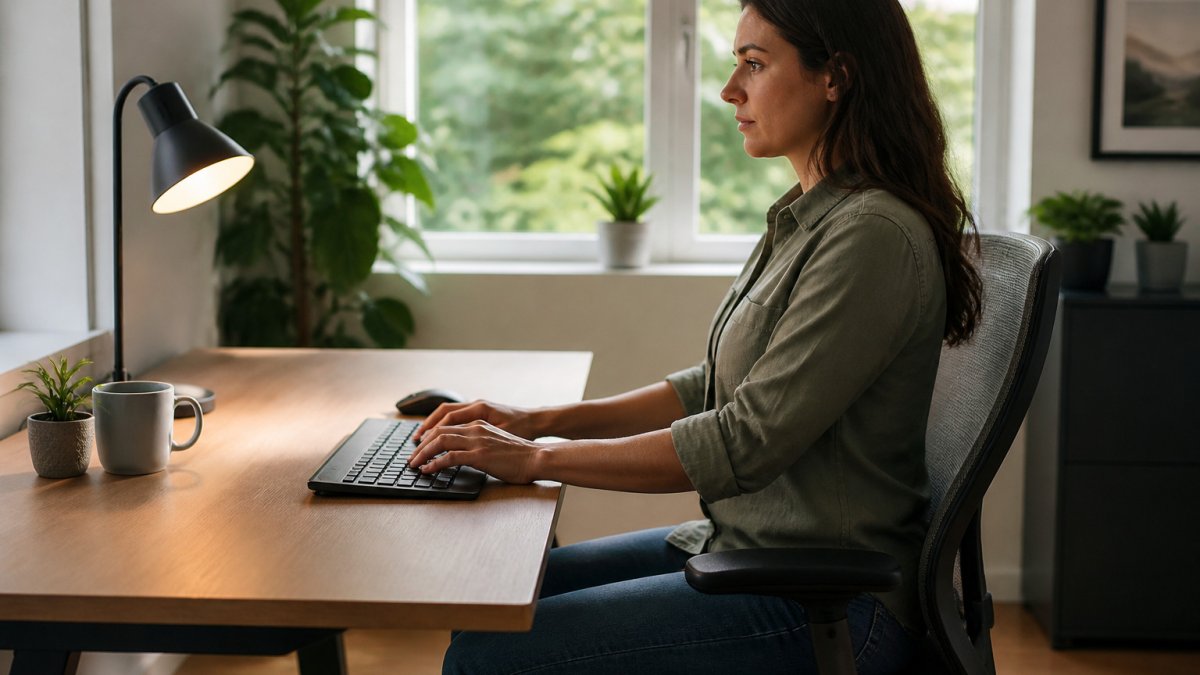
Your desk height matters too. If the desk is too high, your shoulders rise. If it is too low, you lean forward. Adjust until your forearms rest level with the keyboard.
Step 3: Find the Right Monitor Height for Your Ergonomic Desk
Your monitor should sit so the top of the screen is at or just below eye level. This keeps your neck in a neutral position instead of tilted down all day.
Place the screen about an arm’s length away. Set up dual monitors ergonomically with practical positioning instructions. If you use two monitors, put your main screen directly in front of you.
For a deeper look at monitor placement, see our guide on how to set up dual monitors ergonomically.
Step 4: Light Your Workspace to Reduce Glare and Eye Strain
Poor lighting causes squinting and headaches. Position your desk so windows sit to the side of your screen, not directly behind or in front of it. This cuts down on glare.
Use task lighting for close work and softer ambient light for the rest of the room. Lower screen brightness to match your surroundings.
Follow the 20-20-20 rule to rest your eyes. Every 20 minutes, look at something about 20 feet away for at least 20 seconds.
Why glare and eye strain break concentration
Eye strain is not just an eye problem. When your eyes work harder to resolve a bright reflection or a dim, low-contrast screen, the muscles around them tense, and that tension feeds the same distraction loop described earlier. The result is the familiar late-afternoon pattern: burning eyes, a dull headache, and a growing urge to look anywhere but the screen. Fixing the light removes the cause instead of asking willpower to override it.
Match screen brightness to the room, not to a fixed setting
A common mistake is leaving monitor brightness at its factory default. The screen should feel roughly as bright as a white sheet of paper in the same room. If the screen glows like a lightbox against a dim wall, you will squint; if it looks gray and washed out in a bright room, you will lean in. Adjust brightness when the light in the room changes, morning, afternoon, and evening are three different settings for most people.
Control glare from windows and overhead lights
- Windows to the side. A window directly in front of you puts the bright outdoors behind the screen, forcing your eyes to constantly readjust. A window directly behind you reflects off the glass. Side placement is the compromise that works for most desks.
- Overhead fixtures. A light directly above and slightly behind your head can bounce off the screen. Angle or reposition the fixture, or add a shade.
- Task lamp placement. Put the lamp on the side opposite your writing hand so your hand does not cast a shadow on the page or keyboard.
- Matte over glossy. A matte screen finish or an anti-glare filter reduces reflections without dimming the image as much as turning brightness down.
Use the 20-20-20 rule correctly
The 20-20-20 rule works because it forces your focusing muscles to relax. Every 20 minutes, look at something about 20 feet away for at least 20 seconds. The distance matters more than the time: 20 feet is far enough that your eyes shift out of close-focus mode. A window, a far wall, or a hallway all work. Pair the break with a blink reset, people blink less often at screens, and deliberate blinking re-wets the eye surface.
If eye strain persists after you fix lighting and take regular breaks, it may be a vision-correction issue rather than a workspace issue. A routine eye exam is the right next step, not another accessory purchase.
A quick lighting check
Sit at your desk at the time of day you usually work. Look at the screen with it turned off. If you can see a clear reflection of a window, a lamp, or your own face, you have glare to fix. Turn the screen on and compare its brightness to a sheet of white paper on the desk.
Lighting and screen habits affect how long your eyes stay comfortable, so these points are worth checking against your own desk.
| Fix | What to do | Timing or detail |
|---|---|---|
| Window position | Place windows to the side of the screen | Avoid directly behind or in front |
| Overhead glare | Angle or reposition the fixture, or add a shade | Light above and behind the head reflects off the screen |
| Task lamp | Put it on the side opposite your writing hand | Prevents hand shadow |
| Screen finish | Use matte or an anti-glare filter | Cuts reflections with less dimming |
| 20-20-20 rule | Look about 20 feet away for 20 seconds | Every 20 minutes |
| Brightness check | Match screen brightness to a sheet of white paper | Adjust as room light changes |
Step 5: Add Ergonomic Office Accessories and Build in Movement Breaks
Small accessories can improve comfort. A footrest, a wrist rest, or a document holder can keep your body in a better position. A sit-stand converter lets you alternate between sitting and standing.
Movement matters just as much as your setup. Stand up, stretch, and walk for a minute or two at least once an hour. Manage lower back pain while standing with guidance on staying comfortable on your feet.
- Set a timer for hourly stretch breaks.
- Stand during phone calls when you can.
- Stretch your neck, shoulders, and wrists gently.
If lower back discomfort is a concern while standing, read our guide on managing lower back pain while standing for practical tips.
Start Your Setup Today With One Change at a Time
You do not have to rebuild your entire workspace in one afternoon. Start with the chair, then move to desk height, monitor position, and lighting. Each change builds on the last.
Test each adjustment for a few days before you make the next one. Notice whether you feel less strain and whether your focus lasts longer. Those small wins add up.
Ready to upgrade your workspace?
Frequently Asked Questions
How can an ergonomic workspace help improve focus?
An ergonomic workspace reduces the physical discomfort that pulls your attention away from work. When your chair supports your lower back, your monitor sits at eye level, and your lighting avoids glare, you spend less mental energy noticing aches, squinting, or shifting in your seat. Many people find they can sustain concentration for longer blocks of time once these physical distractions are removed. Start with the chair and monitor, since these two adjustments usually deliver the biggest comfort gains.
What is the best monitor position for an ergonomic desk setup?
Place the top of your monitor at or slightly below eye level, so your gaze drops a little when you look straight ahead. Position the screen about an arm’s length away, roughly 20 to 30 inches. Center the monitor directly in front of you to avoid twisting your neck. If you use two screens, place your primary display directly ahead and the secondary one at a similar height beside it. Adjust gradually until your neck feels neutral.
Does lighting affect focus at a desk?
Yes, lighting affects both comfort and concentration. Glare on your screen forces your eyes to work harder, which leads to fatigue and distraction over a long day. Position your desk so windows sit to the side rather than directly in front of or behind you. Pair a soft overhead light with a focused task lamp, and reduce screen brightness to match the room.
How often should I take breaks from sitting at my desk?
Take a short movement break roughly every 30 to 60 minutes. Stand, stretch your shoulders and hips, and walk for a minute or two. For eye strain, follow the 20-20-20 rule: every 20 minutes, look at something about 20 feet away for at least 20 seconds. These brief breaks refresh your posture and attention, which helps you return to tasks with a clearer mind. Pairing movement breaks with a standing or sit-stand desk can add variety to your day.

