Table of Contents
- How Long Do Office Chairs Last: Refurbished vs. New
- Factors That Determine Refurbished Office Chair Lifespan
- Used Office Chair Buying Guide: What to Check Before Purchase
- Office Chair Maintenance Tips to Extend Lifespan
- Signs an Office Chair Needs Replacing
- Making the Right Choice: Refurbished vs. New for Your Budget
- Frequently Asked Questions
Last Updated: October 10, 2026
How Long Do Office Chairs Last: Refurbished vs. New
A refurbished office chair typically lasts 5-7 years with proper care, though some high-quality pieces extend to 10 years or beyond. New office chairs often last 7-10 years in standard office environments. The difference isn’t dramatic, what matters most is understanding what you’re buying and how to evaluate it before purchase.
A well-refurbished chair from a premium brand often outlasts a new budget model. A worn Steelcase or Herman Miller chair that’s been properly restored can deliver better value and longer service life than a new chair from a lesser-known manufacturer.
Factors That Determine Refurbished Office Chair Lifespan
Several specific factors shape how long your refurbished office chair will perform. Understanding these helps you spot quality pieces and avoid premature failure.
Original Build Quality and Brand
A 10-year-old Steelcase chair rebuilt to standards often outperforms a new generic brand chair. Premium manufacturers use better materials, thicker gauge steel, and more durable mechanisms. Budget brands designed for short-term use fail faster regardless of refurbishment, the frame may be thinner, the gas cylinder lower quality, and upholstery materials cheaper. Refurbishment restores appearance but cannot upgrade underlying engineering.
Condition at Time of Refurbishment
A lightly-used office chair with minimal wear starts from a better baseline than one heavily abused. Refurbishment restores appearance and replaces worn components like gas cylinders and casters, but cannot repair fundamental structural damage. A frame with cracks or severe bending will continue to fail.
Usage Intensity and Environment
A refurbished office chair lifespan extends significantly in light-use settings. A home office or part-time workspace adds years compared to high-traffic corporate environments with continuous sitting, heavy users, frequent adjustments, harsh conditions, or poor maintenance.
Used Office Chair Buying Guide: What to Check Before Purchase
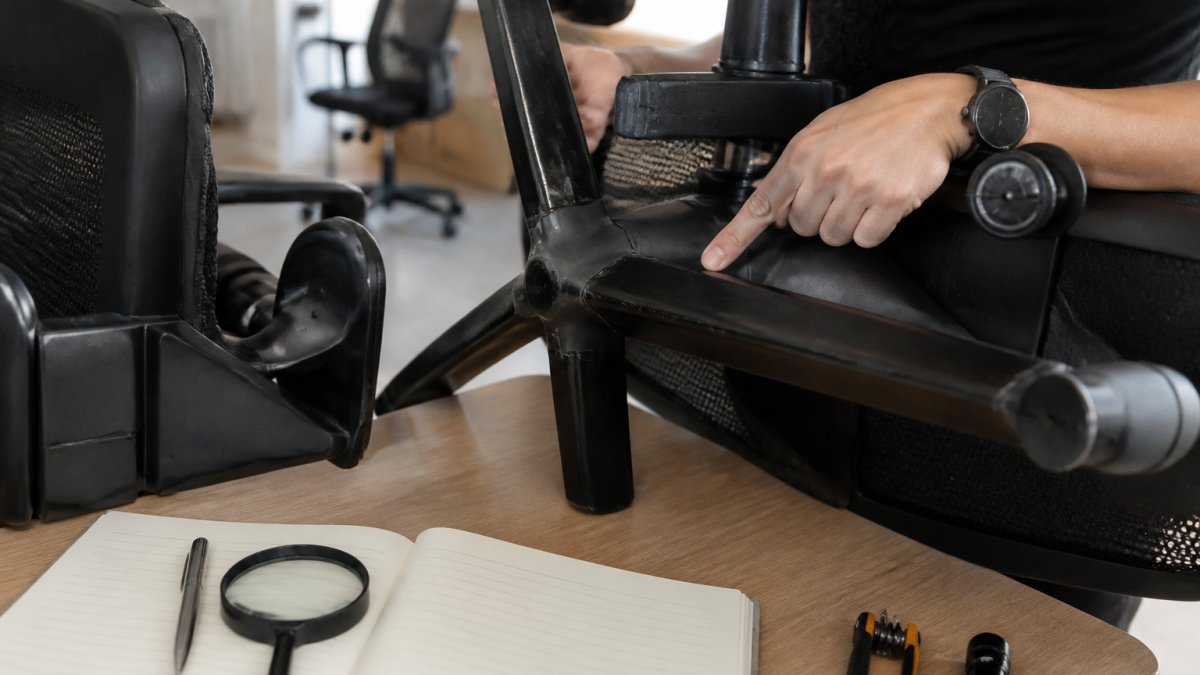
A systematic inspection reveals hidden damage that casual observation misses. Work through each category, taking notes on condition.
Frame and Structural Integrity
The frame is the chair’s skeleton. Examine all welds and joints under bright light for cracks. Look at the base and five-star leg assembly for bending or asymmetry. Sit in the chair and rock side-to-side; uneven pressure or creaking signals frame misalignment. Check for rust or corrosion on steel components; deep pitting weakens structural integrity.
Grasp the armrests and push down firmly, the frame should not flex or creak. Tilt the chair back and forth; the base should remain stable. Lift the chair by the backrest; it should feel solid.
Upholstery, Padding, and Seat Condition
Press the seat cushion firmly for 5 seconds, then release. It should spring back within 2-3 seconds. If the indentation remains, the foam has degraded. Check for permanent body-shaped indentations and feel the underside for soft or mushy areas. For backrest padding, press the lumbar support area; it should feel supportive, not flat.
Look for stains, tears, or peeling fabric. Run your fingers across the surface for thin spots or pilling. Smell the chair for smoke, mildew, or chemical odors. Check seams for peeling or fraying.
Mechanism Testing and Adjustability
Sit in the chair with full weight and lift your feet slightly for 10 seconds. The chair should hold its height without drifting down. If the seat descends, the gas cylinder is failing and will require replacement ($60-150).
Recline the chair gently; the backrest should move smoothly without grinding. Lock the tilt at a reclined position; the chair should hold that angle without slipping.
Armrest and swivel tests:
- Move armrests up, down, and side-to-side (if adjustable). They should move with moderate resistance and lock firmly in position. Wobbly or loose armrests indicate worn pivot points.
- Spin the chair 360 degrees. Rotation should be smooth and complete. Sticking, grinding, or incomplete rotation suggests worn swivel bearings.
- Roll the chair forward and backward. Casters should glide smoothly. Sticking, squeaking, or uneven rolling indicates worn wheels; replacement casters cost $20-40 per set.
Seat height and other adjustments:
- Raise and lower the seat 5-10 times. Movement should be smooth and consistent. Sticking, jerking, or resistance that increases with each adjustment indicates the cylinder is failing.
- Test any recline-tension adjustment. The chair should support your weight without drifting backward or forward.
Interpreting results:
A chair with one or two minor issues (slightly sticky armrest, worn caster) is acceptable if the frame, padding, and gas cylinder are sound.
Office Chair Maintenance Tips to Extend Lifespan
Proper care extends the refurbished office chair lifespan by years. A structured maintenance schedule prevents premature wear and catches problems before they become expensive repairs.
Regular Cleaning and Hygiene
Dirt, dust, and spills accelerate deterioration. Regular cleaning keeps materials in better condition and prevents odor buildup.
Weekly cleaning:
- Vacuum fabric seats and backrests with an upholstery attachment to remove dust, crumbs, and debris. Pay special attention to seams and crevices where dust accumulates.
- Wipe plastic components (armrests, base, height adjustment lever) with a dry microfiber cloth to remove dust.
- Check for spills or stains immediately. Blot (do not rub) with a damp cloth and mild soap solution. Rinse with a clean damp cloth and allow to air dry.
Monthly deep cleaning:
- Use a fabric-safe upholstery cleaner on seat and backrest. Test on a hidden area first. Apply sparingly, work in small sections, and allow to dry completely before use.
- Wipe metal components (frame, base, casters) with a slightly damp cloth to remove dust and prevent oxidation.
- Clean caster wheels by wiping them with a damp cloth and removing any hair or debris wrapped around the axle.
Quarterly maintenance:
- Inspect the entire chair for new stains, tears, or damage. Address issues immediately before they worsen.
- For leather chairs, apply leather conditioner to prevent cracking and drying. Use a product designed for office furniture (avoid general-purpose leather treatments that may leave residue).
- Check all visible bolts and connections for tightness. Use an appropriate wrench or Allen key to tighten any loose fasteners.
Avoid:
- Harsh chemicals (bleach, acetone, alcohol) that degrade fabric and plastic.
- Excessive water that can seep into foam padding and cause mildew.
- Abrasive scrubbing that damages upholstery fibers.
Mechanical Care and Adjustment
Keep mechanisms functioning smoothly with targeted maintenance. Most mechanical failures are preventable with basic care.
Annual lubrication:
- Spray silicone lubricant on caster wheels and the swivel bearing (where the seat meets the base). Use light, even applications; excess lubricant attracts dust.
- Apply lubricant to armrest pivot points if they squeak or move stiffly.
- Do not lubricate the gas cylinder or tilt mechanism; these are sealed systems.
Quarterly checks:
- Test the gas cylinder by sitting in the chair and lifting your feet slightly. If the seat drifts down, the cylinder is failing and should be replaced before it becomes unsafe.
- Check tilt tension by reclining gently. Adjust the tension knob (usually located under the seat) so the chair supports your weight without drifting backward or forward.
- Inspect casters for hair, debris, or damage. Clean or replace as needed.
- Verify that all bolts connecting the base, seat, and backrest remain tight. Loose connections create wobbling and accelerate wear.
Proper adjustment:
- Set seat height so your feet rest flat on the floor and your knees bend at 90 degrees when sitting upright.
- Adjust armrest height so your elbows rest at 90 degrees with shoulders relaxed. Armrests that are too high or too low cause strain and encourage poor posture.
- Set tilt tension so you can recline without the chair dropping suddenly. The chair should support your weight throughout the recline range.
- Position the lumbar support (if adjustable) to match the curve of your lower back.
When to replace components:
- Gas cylinder: If the chair drifts down during use or fails to hold height, replacement is necessary. Cylinders are not repairable; a new one costs $60-150 depending on the chair model.
- Casters: If wheels stick, squeak, or no longer roll smoothly, replace the entire caster assembly. Most chairs use standard 5-pin casters; replacement sets cost $20-50.
- Armrests: If pivot points are loose and cannot be tightened, or if the armrest is cracked, replacement may be more cost-effective than repair.
- Upholstery: If padding has compressed permanently or fabric is torn beyond cleaning, seat or backrest replacement may be available from the manufacturer or a reupholstery service.
Environmental Factors
Where the chair sits affects its lifespan.
- Temperature and humidity: Keep chairs in climate-controlled spaces. Extreme heat, cold, or humidity accelerates foam degradation and can warp plastic components.
- Sunlight: Direct sunlight fades and weakens fabric over time. Position chairs away from windows or use window treatments to reduce UV exposure.
- Air quality: Smoke, cooking odors, and chemical fumes can embed in upholstery and degrade materials. Ensure adequate ventilation in the workspace.
- Floor protection: Use chair mats on hard floors to reduce caster wear and prevent the chair from rolling unexpectedly.
Signs an Office Chair Needs Replacing
Even well-maintained chairs eventually fail. Recognize when repair costs exceed replacement value.
Replace the chair if:
- The gas cylinder no longer holds height (drifts down during use)
- The frame has visible cracks or is visibly bent
- Upholstery is torn and stained beyond cleaning
- Padding has compressed into a permanent hollow
- Mechanical adjustments are stuck or broken
- The chair feels unstable or unsafe to sit in
- Repair costs exceed 50% of a replacement refurbished office chair price
A chair with a failed gas cylinder and worn padding can be costly to repair. A quality refurbished replacement from Office Furniture Warehouse can be a more budget-friendly option.
Making the Right Choice: Refurbished vs. New for Your Budget
For most businesses, refurbished office chairs deliver better value than new budget models. The refurbished office chair lifespan often matches or exceeds cheaper new alternatives.
Choose refurbished if:
- Your budget is limited
- You need to furnish multiple workstations
- You prefer established brands like Steelcase and Herman Miller
- You can inspect chairs before purchase
- You’re willing to maintain them properly
Choose new if:
- You need specific customization or colors
- You want a full manufacturer warranty
- You’re furnishing executive spaces where appearance matters most
- You prefer the simplicity of one-stop shopping
Office Furniture Warehouse carries both new and refurbished options from premium brands. Our 4-acre inventory includes hundreds of refurbished chairs inspected for frame integrity, mechanism function, and upholstery condition.
The refurbished office chair lifespan question ultimately depends on what you buy and how you treat it. A quality refurbished Steelcase chair with proper maintenance often outlasts a new budget model by years.
Frequently Asked Questions
How long do refurbished office chairs typically last?
A quality refurbished office chair typically lasts 5 to 10 years with proper maintenance. The lifespan depends on the original build quality, the extent of refurbishment work, and how intensively the chair is used. Premium brands like Steelcase and Herman Miller often outlast budget models. Chairs used in high-traffic environments may wear faster than those in light-use settings. Regular maintenance, cleaning, lubricating mechanisms, and addressing small repairs promptly, can extend the lifespan significantly.
What parts of a refurbished office chair wear out first?
The gas cylinder (which controls seat height) typically fails first, followed by the tilt mechanism and armrests. Casters (wheels) and the base can wear from constant rolling. Upholstery and padding degrade from daily friction and body oils. Lumbar support components may lose elasticity over time. When purchasing a refurbished chair, test these components thoroughly and ask the seller which parts were replaced during refurbishment. Knowing what’s new versus original helps you estimate remaining lifespan.
Does a refurbished office chair last as long as a new one?
A well-refurbished chair from a quality brand can perform as well as a new one if critical wear parts, gas cylinder, tilt mechanism, and casters, were replaced during refurbishment. The frame and structure often outlast newer components. However, a poorly refurbished chair or one refurbished only cosmetically may fail sooner than new. When buying refurbished, always ask what was replaced and whether the refurbisher offers a warranty. This transparency helps you assess whether you’re getting a chair that will match a new one’s durability.
How can you extend the lifespan of a refurbished office chair?
Clean the upholstery regularly with appropriate cleaners and allow it to dry fully. Lubricate the tilt and recline mechanisms annually with silicone-based lubricant. Avoid leaning back excessively or rocking the chair on two wheels, which stresses the base and gas cylinder. Adjust seat height and armrests to fit your body properly, poor ergonomics accelerate wear on support components. Replace casters if they crack or become stiff. Address squeaks and loose hardware immediately. These practices can add 2-3 years to your chair’s functional life.
