Table of Contents
- Ergonomic Chair vs Gaming Chair: What Actually Changes After Hour Six
- Side-by-Side Comparison: Support, Materials, and Price
- Best Ergonomic Office Chairs for Back Pain (and Two Gaming Chairs Worth a Look)
- How to Adjust an Office Chair for Posture (Step by Step)
- How Long Should You Sit in an Office Chair Before Taking a Break?
- Weight Capacity, Cleaning, and Standing Desk Fit
- Conclusion: Match the Chair to the Hours, Not the Aesthetic
- Frequently Asked Questions
Last Updated: September 16, 2026
Ergonomic Chair vs Gaming Chair: What Actually Changes After Hour Six
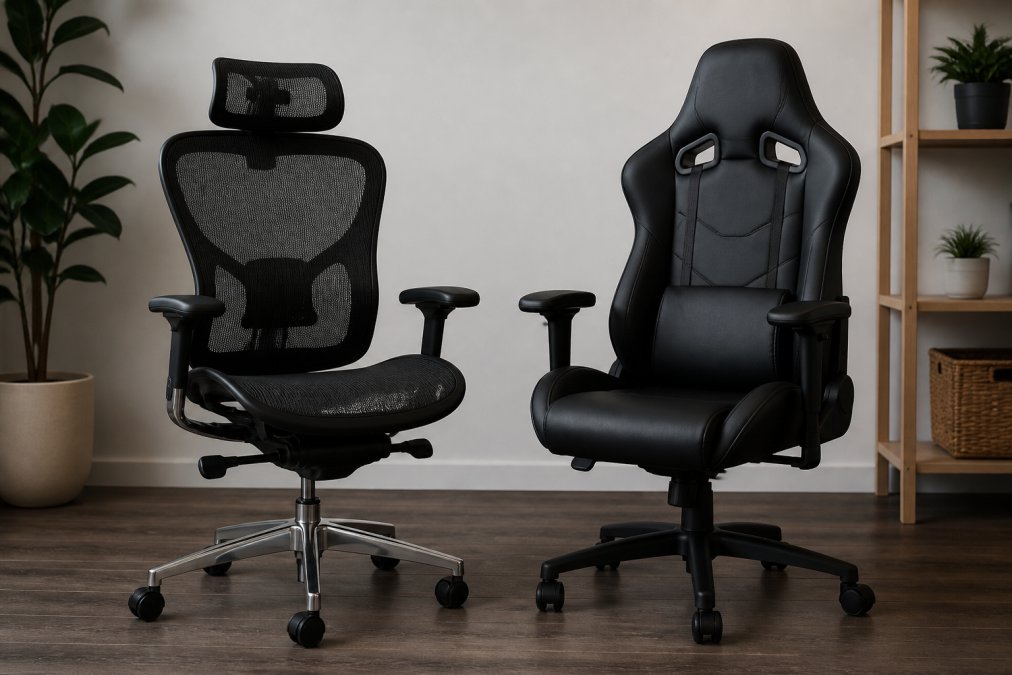
The ergonomic chair vs gaming chair for long hours debate usually gets settled by looks, not by what your spine does at hour six. Here is the short answer: an ergonomic office chair is built to hold a working posture for a full day, while a gaming chair is built to feel good for the first two hours and look good in a stream.
Side-by-Side Comparison: Support, Materials, and Price
The core difference comes down to one design goal. An ergonomic chair is engineered around spinal alignment and dynamic sitting. A racing-style gaming chair is engineered around a bucket seat shape that hugs the body.
| Feature | Ergonomic Office Chair | Gaming Chair |
|---|---|---|
| Primary goal | Posture support over a full workday | Enclosed, cushioned feel |
| Back design | Contoured or mesh back with lumbar support | Racing-style seat with side bolsters |
| Adjustability | Seat depth, tilt tension, armrest height, lumbar | Varies; often limited lumbar and recline |
| Material | Breathable mesh, sometimes fabric | PU leather or fabric over cold-cure foam |
| Long-session risk | Low when adjusted correctly | Shoulder restriction and heat buildup |
| Typical starting price | Higher (premium brands) | Lower to mid-range |
Best Ergonomic Office Chairs for Back Pain (and Two Gaming Chairs Worth a Look)
If you are shopping for the best ergonomic office chairs for back pain, the models below are the ones that consistently hold up for long hours. Two gaming chairs earn a mention because they have added real ergonomic hardware rather than just racing stripes. For each, we note the weight rating and size range, because a chair that fits your frame outlasts a chair that merely looks supportive.
Herman Miller Aeron
The Aeron remains the benchmark for long-duration sitting. Its Pellicle suspension distributes weight evenly instead of concentrating pressure points, and the PostureFit SL back support targets both sacral and lumbar alignment. It comes in three sizes (A, B, and C), so seat width and seat pan depth actually match your frame, Size A suits smaller frames, Size B is the middle range, and Size C fits larger and taller users.
Steelcase Gesture
The Gesture was designed for people who change positions constantly. Its 360-degree LiveBack technology mimics the movement of the spine, and the armrests move like a human arm, which matters if you switch between a keyboard, a tablet, and a phone all day. Seat depth and width are adjustable, and the chair is rated to 400 lb. It starts around $1,450, so it lands in the same premium tier as the Aeron, with a comparable long warranty.

Secretlab TITAN Evo
The TITAN Evo is the gaming chair that takes ergonomics seriously. It has a 4-way lumbar support system, a magnetic memory foam head pillow, and a cold-cure foam seat base that stays firm instead of collapsing. Full-metal 4D armrests are a genuine upgrade over plastic. It comes in three sizes (Small, Regular, and XL), and the XL is rated to roughly 395 lb, one of the few gaming chairs that publishes a size range rather than a single frame.
Kreo Actus
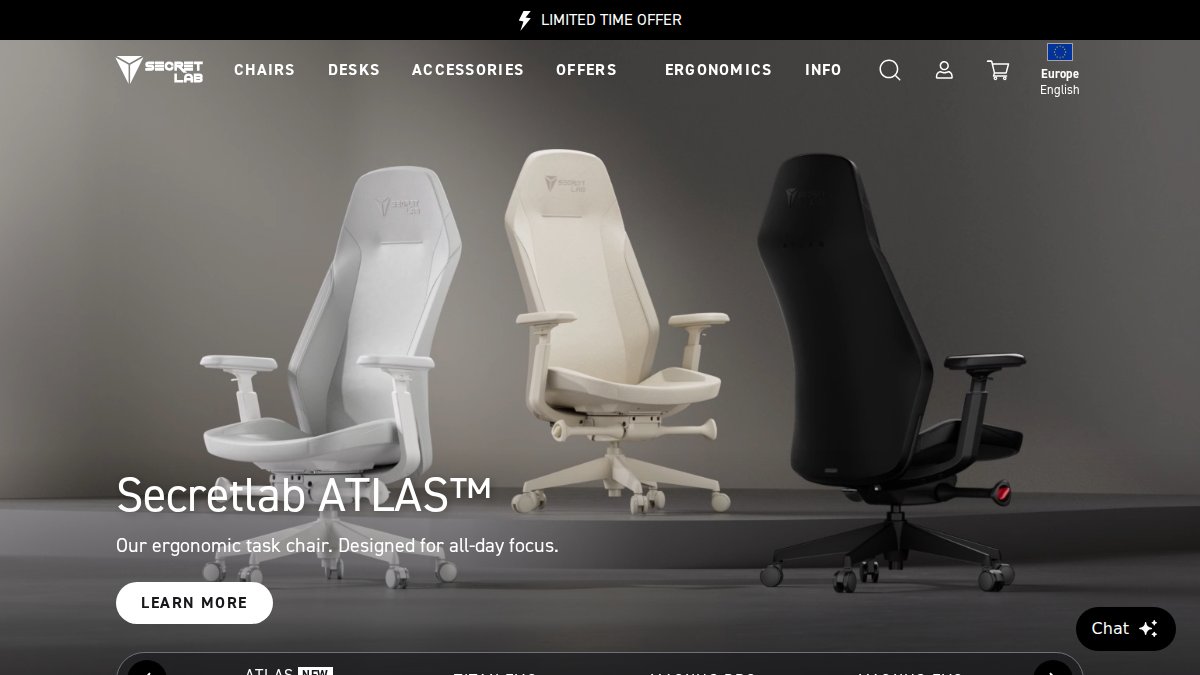
The Kreo Actus is the hybrid option. It pairs an adjustable lumbar system and a breathable mesh backrest with multi-directional armrests and a recline function with tilt lock. At around $350, it costs far less than the premium office chairs, and it suits hybrid users who split time between work and gaming. Its adjustability is thinner than a top-tier ergonomic chair, and its weight rating sits below the premium tier, so heavier users should check the spec sheet before buying.

What to check before you buy any of them
- Weight rating. The base, gas cylinder, and casters fail first when a chair is overloaded. Buy at or above your body weight, never below.
- Seat width and depth. A chair that is too narrow creates hip pressure; one that is too deep cuts off circulation behind the knee. Measure your seated hip width and thigh length before comparing models.
- Warranty length. A 12-year warranty signals replaceable parts and a serviceable frame; a 1- to 2-year warranty signals a disposable chair.
For eight-hour workdays, the Aeron and Gesture win on support and warranty. For mixed use and a tighter budget, the Kreo Actus and TITAN Evo close most of the gap, but only if the weight rating and seat size match your body.
How to Adjust an Office Chair for Posture (Step by Step)
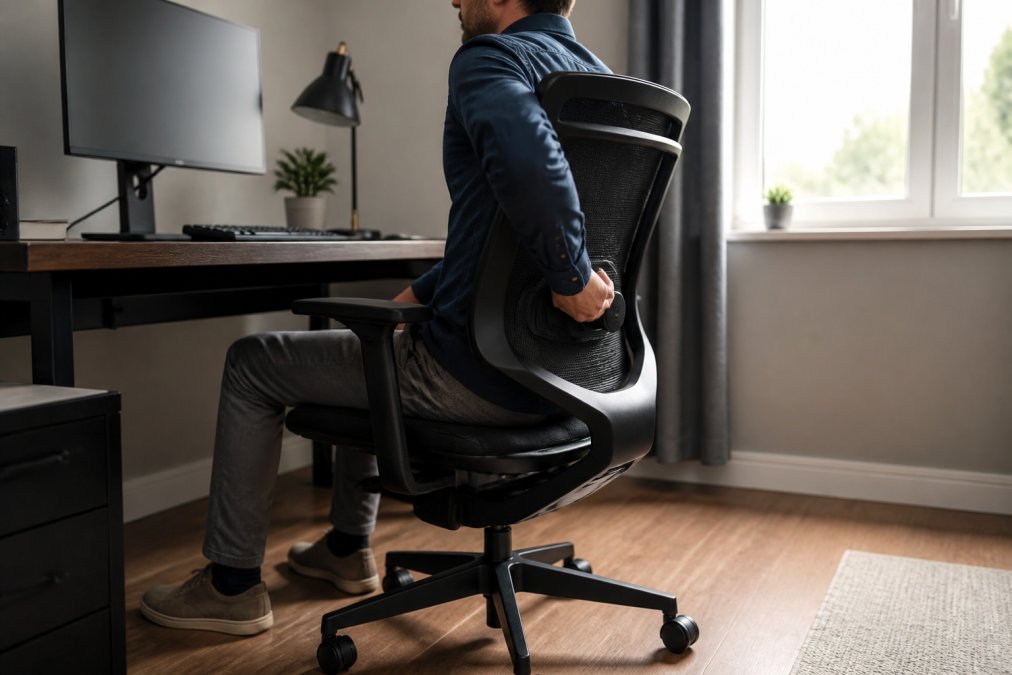
Knowing how to adjust an office chair for posture is the single highest-value skill in this whole comparison, because a well-set budget chair beats a badly set premium one. Here is the sequence we walk customers through.
Total time: 10 minutes
Difficulty: Beginner
- Set seat height first. Raise or lower until your feet rest flat and your knees sit level with your hips.
- Check seat pan depth. You should fit two to three fingers between the back of your knee and the seat edge. Too deep cuts off circulation; too shallow removes thigh support.
- Dial in lumbar support. The curve should press into the small of your back, not your mid-back. On the Aeron and Gesture this is a dedicated adjustment.
- Set armrest height. Shoulders should stay relaxed, with elbows near a 90-degree angle. Adjustable armrests should sit just below your resting forearm.
- Set tilt tension. You want to lean back slightly without fighting the chair. A synchro-tilt mechanism lets the seat and back move together.
- Position your monitor. The top of the screen should sit at or just below eye level to reduce cervical support strain.
Set tilt tension before you set recline. Most people lock the recline to compensate for a chair that leans back too easily, which kills the dynamic sitting that keeps your spine moving.
How Long Should You Sit in an Office Chair Before Taking a Break?
The practical answer is to stand and move roughly every 30 minutes, regardless of how good your chair is. No chair, ergonomic or gaming, cancels out a sedentary lifestyle.
Weight Capacity, Cleaning, and Standing Desk Fit
Three details get ignored in most comparisons, and all three affect how long a chair actually lasts. This is where a long-hours buyer separates a chair that survives five years from one that fails in eighteen months.
Weight capacity and size inclusivity
Every chair is rated to a maximum weight, and exceeding it stresses the base, gas cylinder, and casters first, the parts that are hardest to replace. The Aeron’s three sizes exist precisely because one frame cannot fit every body, and the TITAN Evo’s XL size follows the same logic. If you are tall, look for an adjustable seat depth and a high back that reaches your upper shoulders; if you carry more weight, look for a published rating at or above your body weight and a wider seat pan.
Maintenance and cleaning protocols
Mesh and PU leather age differently, and the cleaning routine is not the same.
- Mesh backs and seats: vacuum monthly with a brush attachment to lift dust and skin cells out of the weave. Spot-clean with a damp cloth and mild soap. Mesh stays cooler and dries fast, which is why it holds up better in shared or warm rooms.
- PU leather: wipe with a damp cloth weekly and condition periodically to slow cracking. PU leather traps heat and body oils, and without regular cleaning it develops odor and surface cracks, a real cost if the chair is shared or resold.
- Foam seats: cold-cure foam holds its shape longer than standard foam, but any foam compresses over years of daily use. Rotating between a chair and a standing position spreads that wear.
- Casters and base: check wheels monthly for hair and debris. A clogged caster drags, and dragging stresses the base.
Standing desk integration
If you alternate between sitting and standing, the chair has to cooperate with the transition or you will simply stop using it. Three things decide whether it does:
- Caster type. Hard casters roll well on hard floors but can scratch; soft casters grip carpet but drag on tile. Match the caster to your floor, or buy a chair with swappable casters.
- Base footprint and stability. A wide five-star base stays planted when you push back to stand. A narrow base tips.
- Tuck clearance. The chair needs to roll fully under the desk when you stand, so check the armrest height against your desk apron and the seat height range against your standing position.
Buying a chair rated below your body weight to save money is the fastest way to void a warranty and crack a base. Check the weight rating and the seat width before anything else.
Conclusion: Match the Chair to the Hours, Not the Aesthetic
The real test is not which chair looks better in a photo. It is which one still supports you at hour six, and that answer depends on how many hours you actually sit.
Frequently Asked Questions
Are gaming chairs actually good for your back?
Some are, most are not. A racing-style bucket seat with fixed side bolsters can push your shoulders forward and flatten the lumbar curve over a long day. Chairs like the Secretlab TITAN Evo add an integrated 4-way lumbar system and cold-cure foam, which helps, but the bolsters still limit shoulder movement. If you sit 8+ hours for work, an ergonomic chair with adjustable lumbar depth, seat pan depth, and tilt tension is the safer pick for spinal alignment.
Is an ergonomic chair worth the investment over a gaming chair for long hours?
The math usually favors ergonomic. A Herman Miller Aeron starts around $1,395 and carries a 12-year warranty; the Steelcase Gesture starts around $1,450. A Secretlab TITAN Evo starts around $549 but you may replace it sooner. Pre-owned inventory at Office Furniture Warehouse brings premium brands into a similar range, so the price gap narrows fast.
How long should you sit in an office chair before standing up?
Stand up every 30 to 60 minutes, even if only for two minutes. Static sitting loads the same pressure points in your seat and lower back, which is why dynamic sitting matters more than any single feature. Pair a supportive chair with a height-adjustable desk and alternate positions through the day. If your chair has a synchro-tilt mechanism, use it to shift your hip angle instead of locking the backrest upright.
Do gaming chairs provide enough lumbar support for office work?
It depends on the model and how adjustable the lumbar piece is. The Kreo Actus uses an adjustable lumbar system and a breathable mesh backrest, which covers the basics for hybrid work and gaming. What most gaming chairs lack is seat pan depth adjustment and a tilt limiter, both of which matter when you recline during a long workday. If your chair’s lumbar pillow slides out of place, it is not giving you consistent support.
